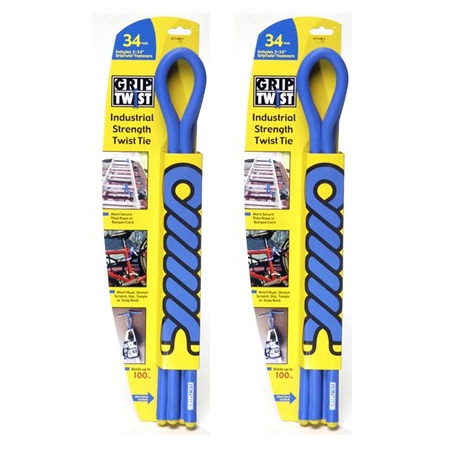
Mighty Tuff Compartmented Boxes

mighty-tuff-big.jpg

Small “tackle boxes” are well known to all, used far beyond fishing purposes. Also well known is how short their lifespans are, their plastic cracking or even shattering far sooner than we ever hope. Winter is death to these things.

It’s the material, right? Over 20 years ago, I got a small Mighty Tuff box to carry fuses (for telecom work). I’ve still got it, and it’s intact. A little yellower than it was new, but still clear and undamaged. I’ve got a lot more of them now, all kicking along nicely. They’re simple, reliable and do their jobs as expected.

Can’t expect more from a Cool Tool than that.

-- Wayne Ruffner  

Flambeau Mighty Tuff Compartment Box
$18

Available from Amazon

More sizes available from Case Club Manufactured by Flambeau


100 Things Every Designer Should Know About People

design for humans.jpeg

This is the most helpful guide to user-interface design I’ve seen. It conveys what science knows about human behavior and how that should influence your design of a website or app. Why fight instincts? Here are 100 useable tips, explained, on taking advantage of the natural tendencies in the way our eyes, brains, and emotions work. Some of the 100 tips are common sense, and some are revelatory. Each is revealed with a principle, some examples, and a takeaway. I use this set as a kind of informal check-list of possibilities. As more of our life migrates to the web, it is ever more important to remember that design is about function, and not just good looks. This overlooked gem of a book encapsulates a lot of wisdom on how to make the functional work for people.

-- KK  

100 Things Every Designer Needs to Know About People
Susan M. Weinschenk
2011, 256 pages
$20

Available from Amazon

Sample Excerpts:

People believe that things shown close together belong together

*

People process information better in bite-sized chunks

Applying the concept of progressive disclosure:

Progressive disclosure means providing only the information people need at the moment.

Progressive disclosure requires multiple clicks. You may have heard it said that Web sites should minimize the number of times that people have to click to get detailed information. The number of clicks is not important. People are very willing to click multiple times. In fact, they won’t even notice they’re clicking if they’re getting the right amount of information at each click to keep them going down the path. Think progressive disclosure; don’t count clicks.

*

Steven Palmer (1981) traveled around the world and asked people to draw a coffee cup. Figure 5.2 shows examples of what they drew.

coffee cups.jpeg
What most people drew when asked to draw a coffee cup

What’s interesting about these drawings is the angle and perspective. A few of the cups are sketched straight on, but most are drawn from a perspective slightly above the cup looking down, and offset a little to the right or left. This has been dubbed the canonical perspective. Very few people would draw a coffee cup as in Figure 5.3, which is what you’d see if you were looking at a coffee cup from above.
100-things2sm.jpeg
Most people don’t draw a coffee cup like this.

*

People read faster with a longer line strength, but they prefer a shorter line length

Have you ever had to decide what column width to use on a screen? Should it be a wide column with 100 characters per line? Or a short column with 50 characters per line? Or something in between? The answer depends on whether you want people to read faster or to like the page.

Mary Dyson (2004) conducted research on line length, and combed other studies to determine what line length people prefer. Her work showed that 100 characters per line is the optimal length for on-screen reading speed; but we prefer a short or medium line length (45 to 72 characters per line).

*

Takeaways
Use concrete terms and icons. They will be easier to remember.
Let people rest (and even sleep) if you want them to remember information.
Try not to interrupt people if they are learning or encoding information.
Information in the middle of a presentation will be the least likely to be remembered.


Machinery’s Handbook

machinerys.jpeg

I have been using the Machinery’s Handbook for 30 years. My first was the 14th edition when I started out as a machinist. Throughout my engineering career this handy reference has served in projects large and small.

My 26th edition has accompanied me on three continents and has never disappointed. Machinery’s Handbook is the Bible of the mechanical industries. It provides mechanical and manufacturing engineers, designers, draftsmen, toolmakers, and machinists with a broad range of material data, from the very basic to the more advanced.

It has always provided accurate, concise and easy to locate reference material for any mechanical project. The only thing that could improve this fantastic reference is to have a digital copy on my smart phone.

-- Scott Trube  

Machinery’s Handbook
Erik Oberg, 29th Edition
2012, 2800 pages
$80

Available from Amazon

Sample Excerpts:

machinery handbook chordal distances .jpg

*
machinery excerpt 2.jpg


Reverence for Wood

reverence title.jpeg

Wood was the plastic of the previous era. Better than plastic today it could be found for free, and re-grew itself. This thin beautiful book is a quick orientation to the merits and features of wood. It begins with trees and ends in tools and materials. Should you appreciate the old-timey ways of working with wood, and how these skills shaped early America, as author and artist Eric Sloane does, his sketches will suggest many ways to use and reconsider wood today.

-- KK  

A Reverence for Wood
Eric Sloane
2004 (1965), 112 pages
$9

Available from Amazon

Sample Excerpts:

reverencewood.jpeg

*
reverencewood1.jpeg

*
reverencewood2.jpeg

*

Charcoal during the 1800′s was used for many things other than making iron. People cleaned their teeth with it. Although the first results may look ghastly, there is actually nothing more beneficial for teeth than charcoal powder. Swallow some of it? Also good; there is nothing better for upset stomach. It even sweetens the breath. If you want to purify water or remove an offensive odor from anything, use charcoal. Sailors used to throw burnt muffins into their water supply when it became stale or smelly; meat packers used to pack their meats in charcoal. Ice was stored in charcoal, gunpowder was made with it; printer’s ink, black paint, medicines even highways were made form it. In 1865 someone dreamed up this idea, thinking that since charcoal is the longest lasting of materials, a road made of it would be very durable. Timber was piled along the middle of the road and burned right here; then the charred material was raked out and tamped down.

*
reverencewood3.jpeg


Autodesk 123D

123d.jpeg

Printing in 3D is now no more complicated than printing photos in Picasa. First you design something in Autodesk 123D (in my case, my first project was a device housing prototype). Then pick “Make” from the menu. You can print your object on your desktop printer, like a Makerbot (moderate quality, now), or you press another button to have it printed (high quality, later) on a commercial printer. Enter your credit card (my prototype, shown here, cost $24) and a week later it’s delivered to your house. Wow.

Best of all, 123D is free. This is the future of fabrication.

-- Chris Anderson  

Autodesk 123d
Free
Windows-only (OSX support to come)
Available from and produced by Autodesk


Thingiverse

Screen Shot 2012 02 16 at 11 47 27 AM

Thingiverse is a swap meet for exchanging digital files for 3D printing of tiny objects, like the stuff for doll houses. You download a file and print out the object using a the previously reviewed Makerbot or 3D printing service. Eventually, the objects will be larger, and the selection larger, and you’ll be able to print out complex things. For now, 3D printing is a thrilling hobby, and this exchange site is a real tool for model makers.

-- KK  


KUM Pencut

KUM Pencut.jpeg

I love scissors. I use them in my kitchen, in the laundry room, at my desk, and throughout my apartment. Yet, I rarely have a pair with me while on the go. Or, at least I rarely had a pair with me until I found the KUM Pencut.

Traditional scissors are potentially hazardous items to throw in a bag (which is why I never used to carry a pair with me). They rarely come with a sheath, and without protection the likelihood of dulling the blades, or accidentally tearing a hole in your bag (or hand) is significant.
pencut cap off.jpeg
The KUM Pencut is an ingeniously designed pair of scissors that masquerades as a pen. When folded the blades are kept hidden beneath a sturdily affixed pen cap. The pen-like form gives the impression that there is nowhere for your fingers to go, but pull the plastic sliders down and two pieces of nylon fold out creating comfortable finger holds.

Outside of being cleverly designed, the scissors are very sharp, while also having full tang blades (which gives the scissors a surprising sturdiness). With the cap on, it’s very easy to mistake the scissors for just another pen that I’ve slipped into a pen-holder in my bag; it also means that it stays in place, and is there when I need it.

The biggest downside to these scissors is the price, but given they’re sturdy build and how many conversations they’ve started I’m confident it’s worth it.

-- Oliver Hulland  

KUM Pencut
$15

Available from Jet Pens

Manufactured by KUM

Sample Excerpts:

pencut slider.jpeg
The plastic sliders provide access to the nylon handles.


Carpenter Pencil and Keson Sharpener

keson sharpener.jpeg

I have been a carpenter for thirty years or so. I started out as a framer on single family homes, where I used the flat carpenter’s pencil. Its sturdy lead stood up to marking rough lumber but was a little tricky to sharpen. You want a flat chisel point not a conical point. This is accomplished quickly and easily with an inexpensive Keson pencil sharpener.

My framing days are long gone, thankfully. I have worked in many aspects of the field, from general carpentry to boatbuilding to cabinetmaking and am currently installing interior doors and high-end trim. Through it all I have held on to that flat pencil. It never ceased to amaze me how many employers (and I’ve been through a few) have told me to lose the flat pencil and get with the program and use a round pencil. To my mind, the only thing a round pencil is good for is taking a lunch order or making out the bill. The point breaks easily when marking wood and is difficult to sharpen unless you have an electric sharpener under your chopbox, which many guys do.

-- Paul Francy  

Keson Carpenter Pencil Sharpener
$6

Available from Lee Valley

Also available from Amazon

Manufactured by Keson


3M Scotch-Weld EPX Applicator

Epoxy Applicator.jpeg

I always used to buy epoxy locally in disposable dispensers that are supposed to dispense equal ratios of the components. The dispensers never work that well: one side always starts to move first and then to get a reasonably equal mix I have to mix up a lot more than I need.

The 3M duo-pack adhesives are sold separately from the dispenser. Because the dispenser is not disposable, it can be a decently built tool, like a caulk gun for epoxy.

The way it works is that you slip on the adhesive cartridge. The applicator has a plunger that pushes up the adhesive cartridge. Think caulk gun. The epoxy comes in double tubes like a doubled tube of caulk. When an adhesive has a different mixing ratio the tubes in the cartridge have different diameters. And there is a different plunger that fits in the tube. The supported mixing ratios are 1:1, 1:2 and 1:10 because those are the ratios of adhesives available. When you buy the system you get the first two plungers, but the 1:10 plunger is sold separately as it is used only for DP-8005 and DP-8010, I think. Just like a caulk gun you can, but you need not remove the adhesive cartridge between uses. The gun stays clean. There is no need to clean it. (Unlike a caulk gun, the adhesive doesn’t leak out the back and get on the gun.)

In fact, if you’re not so worried about waste there’s even a further convenience: static mixing nozzles. These nozzles attach to the end of the epoxy tube and do all the mixing for you so that it really works like a caulk gun: what comes out is ready to use, completely mixed epoxy.

But even if you don’t use the somewhat wasteful mixing nozzles you can still use the gun to extrude the correct ratio mix of 3M adhesive products and then hand mix. I have been able to mix up just the amount of epoxy I need when with the old system I would have mixed ten times what I needed. (No exaggeration here.)

I first got this system because I was trying to glue zinc-plated magnets to polyethylene. I tried regular epoxy. It doesn’t stick well to either one of these materials. There are two adhesives that I think are of particular note in the 3M lineup.

The DP-190 (which I have only used a tiny bit) is supposed to stick to everything except the “low surface energy” plastics. I saw that it is recommended for use with the zinc-plated rare earth magnets (by the magnet sellers). The DP-8005 is designed to stick to low surface energy plastics. I got it for my application.

I also got a small mat made out of teflon because nothing is supposed to stick to that. This was great for repairs using epoxy. I repaired something and laid it on the teflon and it peeled right off after it was cured.

According to 3M, epoxy shelf life is less than a couple years, so you don’t want to buy a lifetime supply at any given time. The shelf life of DP-8005 is only 6 months. The shelf life of the previously reviewed Scotch-Weld Two Part Urethane is 1 year.

-- Adrian M.  

3M Scotch-Weld EPX Applicator
$80

Available from Amazon

Manufactured by 3M


Make Ultimate Kit Guide

Ultimate Kit Guide 2012.jpeg

Long live kits! Here is a fantastic collection of 175 of the best kits available today. Each one selected, tested, and reviewed by the folks at Make magazine. Each kit is rated on five criteria.

Kits offer many of the benefits (fun, thriftiness, satisfaction, personalization) of making something yourself while removing many of the hurdles. A kit relieves you of sourcing all the parts (only a mildly creative task), insures compatibility of ingredients, and increases the likelihood you’ll finish it and that the project will work. These are no small advantages, and worth the small extra expense of a kit — which may still be less than buying a similar product. This kind of directed assistance is perfect for kids, giving them confidence they can eventually build things without kits.

Kits are also perfect and cheap way for adults to try out new areas of interest. In recent years I’ve completed a number of kits to get a feel for a brand new craft. My greatest achievement was in making a dulcimer from a kit.  I’ve also made some things from kits that did not work as advertised, which is why the recommendations from Make are worth getting.

Kits have been around a long time but are undergoing a renaissance due to innovations in fabrication which permit small economical runs for niche products. There’s an intoxicating variety to choose from. About half of the kits reviewed in Make’s Guide involve electronics, but the other half are refreshingly diverse. There’s a kit to make a working replica of the original Apple I computer, or to make airplanes (both model and actual), an egg decorating machine, RC vehicles of all sorts, real boats, complex scientific tools, cool toys and rockets, food and wine-making, and various musical instruments.

Of course, kits make great gifts, too. I recommend this Guide as a first step, or even as a gift itself.

-- KK  

[Note: Two of the kits featured in the Make Guide were first reviewed here at Cool Tools: Dean Knudson's review of Eskimold and Mark Fowalter's review of Pygmy Coho Kayak Kit.--OH]

Make Ultimate Kit Guide
$7
Available from Maker Shed

Also available online at Makezine

Sample Excerpts:

analog geiger.jpeg
Analog Geiger Counter, $139
http://kits.makezine.com/2011/11/08/analog-geiger-counter/
MAKE contributor John Iovine has been designing and improving affordable Geiger counters for decades. After Japan’s nuclear crisis last spring, his company was swamped with orders. Now they’re working on even better designs and DIY kits. This analog counter detects beta radiation above 36 kilo-electron volts (keV) and gamma above 7keV, signaling each radioactive particle detected with an LED flash and a click in the headphones. For digital output, logging, and graphing, add the DMAD-03 digital meter adapter kit ($60).

pottery kickwheels.jpeg
Pottery Kick Wheel Parts Kit, $551
http://kits.makezine.com/2011/11/02/pottery-kick-wheel-wood-and-metal-parts-kits/
A friend and I tried to build a pottery kick wheel ourselves, but the concrete flywheel we poured cracked immediately, rendering the wheel a bit wobbly. Fortunately I later discovered these two kits, which include everything you need to make a solid kick wheel, including the wheel head, ball bearings, and all the pre-cut wood. And if you’re a better woodworker than me, you can just buy the metal kit and build the wood frame yourself. I use it all the time to make pottery, which is what it’s all about!

south pointing chariot.jpeg
South Pointing Chariot Kit, $59
http://kits.makezine.com/2011/11/08/south-pointing-chariot-kit/
Indie makers RLT Industries of New Braunfels, Texas, sells this lovely wooden model kit of the classic “south-pointing chariot” mechanism. Set the chariot down with the vane pointing in an arbitrary direction — south, north, whatever — and a geared differential connected to the wheels will keep it pointing the same direction regardless of which way the chariot turns. Their version went through eight prototypes to get the gearing just right and seems like a hella deal at $59.

drum kit.jpeg
Drum Kit Kit, $19

http://www.makershed.com/product_p/mkskl2.htm&Click=37845

Turn anything into a drum set with your Arduino and this simple kit. Some makers build custom drum sets from fine hardwoods, while others take the easy route and make practice sets from mouse pads and sheet metal. Instead of building my own, I used the included piezo elements to trick out my Rock Band drums, hooked them up to my friend’s Yamahas, and gave him a few more drumheads to tap. With software like GarageBand or Ableton Live, you can start making music right away. Simply map your notes with the Arduino sketch, and start recording.