Telephony
Tools for Possibilities: issue no. 189

Free telephone conferencing
UberConference is a welldesigned site offering free telephone conferencing with great service and great usability. For instance:
- You can save the contacts that you invite to calls.
- You can import your contact list from other sources.
- When you, or your contacts call in from a number on record, no PIN is required.
- During the call, the web page shows who is talking (useful for large conferences or new contacts).
- The service sends out email reminders immediately prior to the scheduled call time.
- The basic service is free, and you can pay for additional functionality, like recording the calls. — jlw
One number to rule them all
The concept is brilliant: have one phone number you keep forever, and have all other phones in your life, as you upgrade, or move on, pass through your One Number. You give only that one number out for any cell phones, landlines, or internet phones you have. When someone calls it, you direct which of your phones it rings, and how. Oh, yeah and it is free. I’ve had a Google Voice number since the days when it was called Grand Central (before Google bought it), and it can do so much more than just funnel your numbers. Readers list the benefits. — KK
Things I love:
- One number for everything. No more worrying about porting or losing numbers, or having to inform anyone of a change.
- Managing contacts and phone numbers via Gmail. Easy and intuitive.
- Being able to record different greetings for different contacts, and different contact groups. All my “work” calls get an official voicemail, and myfriends each have their own individualized voicemail that I can change when I want.
- Texting through Chrome and the Chrome Voice extension is awesome.
- Archiving text messages and voicemails, and having that history searchable by Google’s powerful search engine means never getting rid of a message ever. I like having a record of things from years past.
- Making calls right from my desktop without ever having to pick up a phone. Also one-click calling from my Contacts list.
- Free video-chatting with multiple parties (upcoming feature when Hangouts merges with Voice). — Logan LaVail
- Sending and receiving text messages from Chrome. I text with my employees in the field all day long, and GV is invaluable for that.
- Voicemail transcription. It’s only 80-90% accurate, but that’s enough to tell if a message is urgent.
- Call screening. People I know and work with ring through, the rest have to identify themselves.
- Carrier independence. I can drop my cell phone provider tomorrow and point Google Voice to a new number or numbers at any point. No porting necessary.
- 2 numbers at once. I moved to a new area but kept my old Google Voice number. No need to worry if people haven’t gotten my new number. — Aaron Weiss
- I haven’t even bothered to memorize the numbers attached to my last several phones. At my last job I was given an iPhone, minutes after being handed the phone I was able to route calls going to the same old phone number that I had already been using for years.
- Sending text messages from the browser and managing your texts,
- Managing calls and voicemails just like email is hugely valuable.
- I actually wish that Google would start charging for this service because I would be absolutely devastated if they discontinued it. — Steven Hudosh
Better way to talk
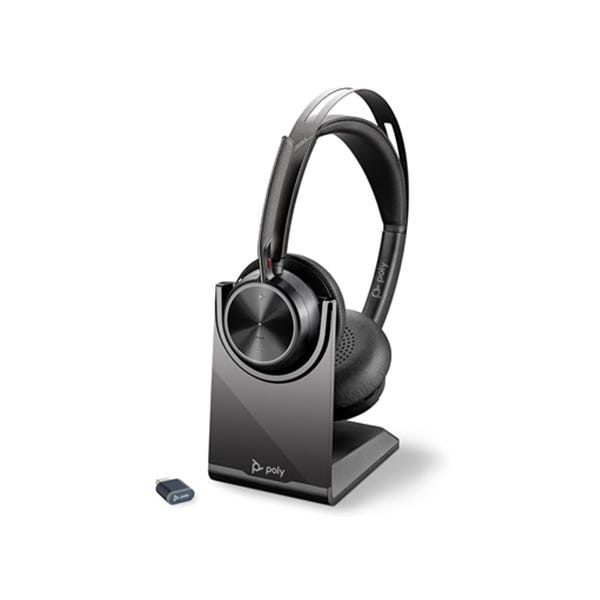
Long live this neck saver! Hail to the hand-freer! I’ve been using a headset on my phone for a decade now, and I continue to be puzzled why everyone else doesn’t. A headset lets me make two-hour teleconferences without a bit of discomfort. Having to grip a phone for any length now feels unhealthy. Mine is a pretty typical set with one ear piece and a tiny boom microphone, that altogether weights a few ounces, if that. It takes no extra effort to slip it on when the phone beeps. My hands are completely liberated. With a comfy headset I can take notes, search for a paper, look up a number on my computer, or just stretch, without neck crinks, sore elbows, or squashed ears. You can choose from dozens of models including cordless sets, ear buds, ultralights, or cheapies. Radio Shack has a low end for cost $20 while Hello Direct has a complete selection of the fancy goods, and a line of headset accessories. I’ve seen some go for $6. A lot of people used to refuse them because they thought it made them look dorky, but I see more and more executives sporting them now, and with cellphones it’s become fashionable to have a set in your ear.
But because a headset is so much better for your health I wouldn’t be surprised if companies began to mandate headsets strictly for health reasons. Do your body a favor and use one. — KK
Cheap, dependable phone tap
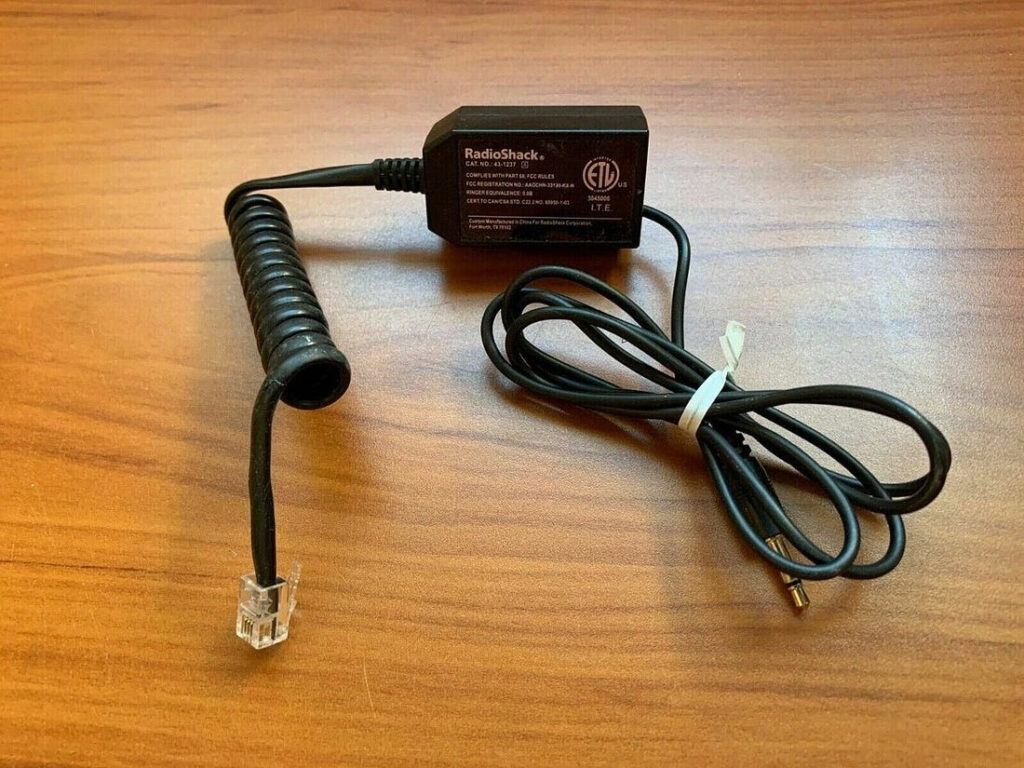
For the last seven years, I’ve used the Mini Recorder Control to document every ‘phoner’ I’ve done as a freelance writer. Like the Recorder Control from Radio Shack, it acts as the go-between for a land line headset and any recorder with a 1/8″ mic jack. However, this one’s about about half the price. Since it’s light and compact, mine is always with me in a little pouch stuffed with a notebook, pens and a Griffin iTalk Pro that allows me to record direct to my iPod. Over time, I’ve upgraded from a desktop dictation machine to a handheld mini-cassette recorder to two different versions of the Griffin. The only item in my “bag of tricks” that hasn’t become obsolete or pooped out is the Mini Recorder Control. Interestingly, I found many of my colleagues in journalism school had independently discovered this exact gadget. — Steven Leckart

No more hold music
Lucy Phone
Lucy Phone is a tool that has helped me deal with one of the annoyances of modern life: waiting on hold. From LucyPhone’s website you can look up the company or toll-free number you want to dial. LucyPhone acts like a conference call: it calls your phone and connects you to the company you wanted to dial.
At any point in the call when you’re placed on hold, you tap ** (star star) and LucyPhone takes over. You can hang up, and LucyPhone will call you back once an operator has picked up on the other end.
From the call operator’s perspective, once they take your call, they are played a brief message from LucyPhone while your number is being called. As soon as you pick up, you are connected to the operator.
The recommended help site GetHuman. com (p. 9) now integrates LucyPhone into their site so that the process is truly seamless, and you don’t even have to initiate the call.
The service is free for consumers. The only drawback I’ve noticed is that it only works for toll-free numbers, so you still have to do things the old fashioned way with companies with local only numbers.
I find LucyPhone much less stressful and annoying than my previous technique of putting the held call on speakerphone and hoping I didn’t leave the room at just the moment I came out of the hold queue. — Nicholas Hanna
Once a week we’ll send out a page from Cool Tools: A Catalog of Possibilities. The tools might be outdated or obsolete, and the links to them may or may not work. We present these vintage recommendations as is because the possibilities they inspire are new. Sign up here to get Tools for Possibilities a week early in your inbox.
05/11/26