Become a Patron!Support our reviews, videos, and podcasts on Patreon!
Cool tools really work.
A cool tool can be any book, gadget, software, video, map, hardware, material, or website that is tried and true. All reviews on this site are written by readers who have actually used the tool and others like it. Items can be either old or new as long as they are wonderful. We post things we like and ignore the rest. Suggestions for tools much better than what is recommended here are always wanted.
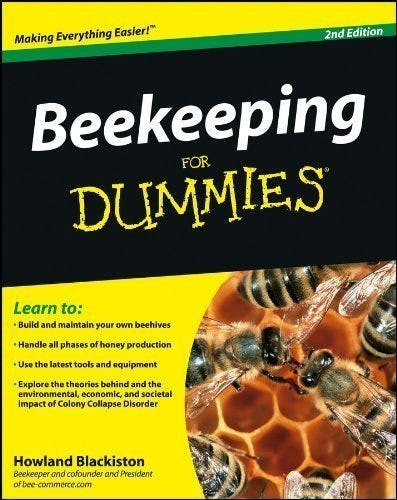
Over the years I’ve kept a few hives of bees for honey. And I have a whole shelf of bee books. Beekeeping for Dummies is my current best choice for a beginner’s introduction to bees. As in many subjects, there is nothing like attending a local hands-on workshop as way to learn fast, but you could get a few hives going in your backyard using just the clear step-by-step instructions in this book alone. It’ll guide you through basic bee biology, safety concerns, using the gear, and how to get bees. More than any other beekeeping tutorial it anticipates most questions newbies will have. It also offer guidance on what to do with your bounty of honey and wax. Bees are eternally fascinating and there’s a library of other classic bee books to follow up with, but this one is the best place to start. — KK
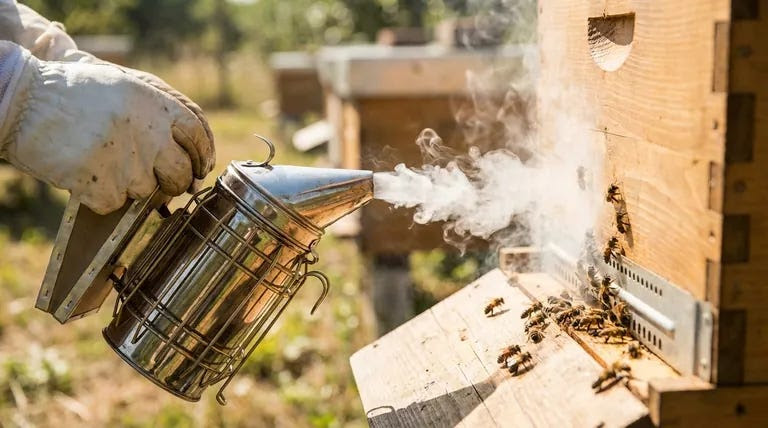
A little smoke under the hive cover calms any of the colony’s guard bees that may be upstairs.
Knowing when it’s time for more smoke A few minutes into your inspection, you may notice that the bees allhave lined up between the top bars like racehorses at the startinggate. Their little heads are all in a row between the frames. Kind ofcute, aren’t they? They’re watching you. That’s your signal to givethe girls a few more puffs of smoke to disperse them again so thatyou can continue with your inspection.
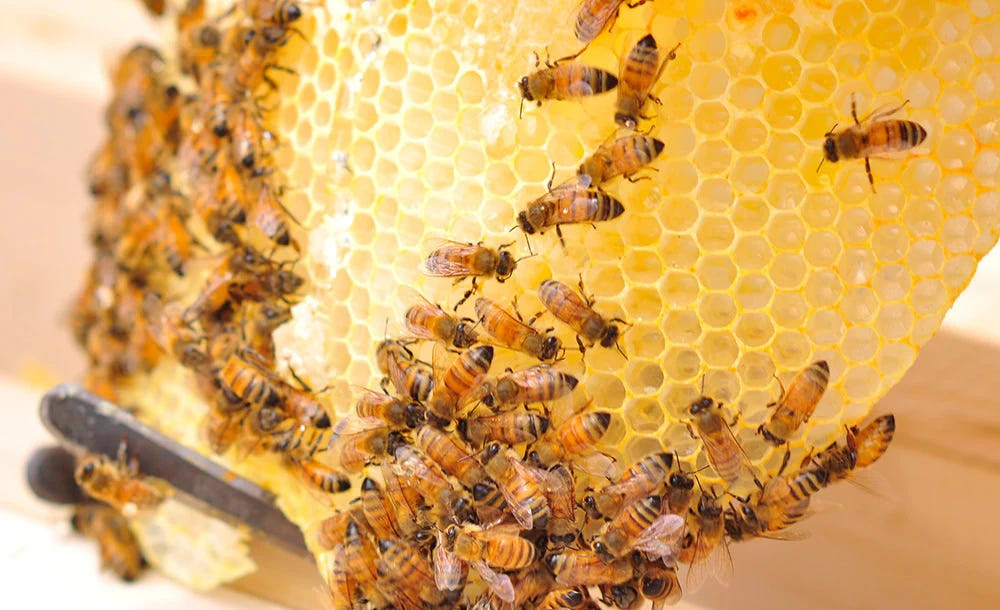
Having Realistic Expectations In your first year, don’t expect too much of a honey harvest. Sorry,but a newly established colony doesn’t have the benefit of a full seasonof foraging. Nor has it had an opportunity to build its maximumpopulation. I know that’s disappointing news. But be patient. Nextyear will be a bonanza!Beekeeping is like farming. the actual yield depends upon the weather. Many warm, sunny days with ample rain results in more flowers and greater nectar flows. When gardens flourish, so do bees. If Mother Nature works in your favor, a hive can produce 60 to 100 pounds of surplus honey (that’s the honey you can take form the bees), or more. If you live in a warm climate (like Florida or Southern California) you can expect multiple harvests each year. But remember that your bees need you to leave some honey for their own use. In cold climates leave them 60 pounds, in climates with no winter, leave 20 to 30 pounds.
A fume board looks like an outer cover with a flannel lining. A liquid bee repellent is applied to the flannel lining and the fume board is placed on top of the honey supers (in place of the inner and outer covers). Within five minutes, the bees are repelled out of the honey supers and down into the brood chamber. Instant success! The honey supers can then be safely removed and taken to your harvesting area.
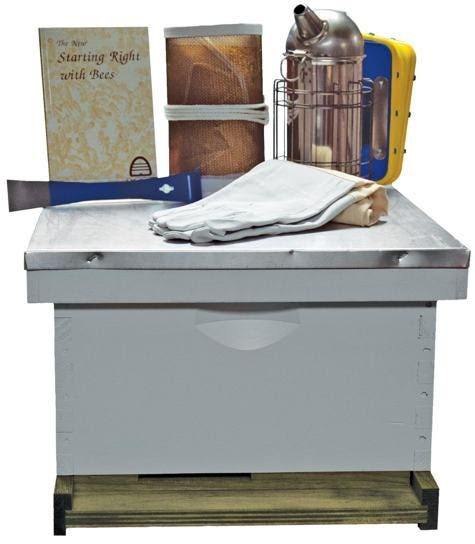
This is the least expensive kit for starting beekeeping. It has everything you need to raise some honey, except 3 things. You’ll need bees; order them by mail separately, or find a swarm. You’ll need to add at least one “upper” story of frames to store your share of the honey, and you’ll need access to an extractor — extracting honey by hand from this upper is possible but extremely messy. With care the equipment included should last many decades. You need only keep adding boxes of frames.
Used bee equipment is not advisable these days because of rampant bee disease. A beginner should start with new gear. There are a few sources with cheaper kits, but their shipping costs — between costs $60-$90 — will kill any bargain. Mann Lake offers free shipping, a fantastic deal with such bulky stuff. Also, their boxes and frames come fully assembled, which is also not the norm. That can save you several hours, and for a beginner, it provides assurance everything is right. Get the unpainted option; that’s easy enough to do and you can choose your color (they don’t have to be white).
If you have Amazon Prime you can get the same deal through Amazon. — KK
The Basic Starter Kit Includes:
Assembled Hive Bodies or Supers
Assembled Frames with Rite-Cell® Foundation OR Waxed Standard Plastic Frames
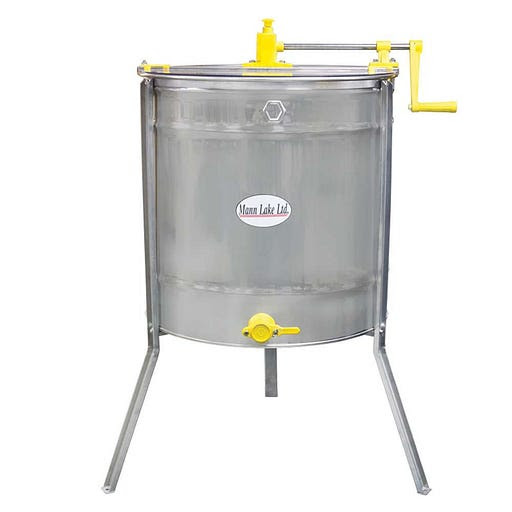
This gorgeous, stainless steel spinning extractor, made in Italy for Mann Lake, sits in a privileged part of our living room and sometimes serves as a coffee table. But come extraction time, I not only use this beauty in my yard, I share it with my beekeeping friends. It’s about the size of a medium garbage can, so it’s easy to load into the car. It fits three frames at a time — the perfect amount for backyard beekeepers who often need to extract only 9 frames at once.
There’s no plug, no motor, just human arm power.
Inside is a metal carriage or rack you slide your frames into. Each side of the frame has honeycomb, so you need to flip the frames to get the honey out of both sides. But most backyard beekeepers are curious and want to check out the progress of the extraction process, anyhow. Watching the honey splatter on the inside edges of the extractor is very satisfying.
It’s also very satisfying to hold up the frame to the light and see that the honey has been sucked out of the comb and is now dripping down the inside of the extractor. And therein lies the beauty of this hand-crank model: the spigot. The honey flows down the sides of the extractor and coalesces in a pool. One only has to turn the spigot and out drips your liquid gold. I never filter or heat my honey so we just hold jars under the spigot. Viola!
Clean up is simple — just put the extractor near the beehive. The bees will lick up the remaining honey. And before I put it back in the living room, I like to pour a few buckets of hot soapy water just to make sure.
Mann Lake makes a few extractors, including a cheaper 3-frame model. However, cheaper models have the crank on top instead of on the side, which makes it more difficult to spin (can you say instant tennis elbow?). I’ve also heard it’s harder to get the spinner moving fast enough to splatter the honey. With this extractor (the HH-190), the crank is on the side, which is more ergonomically friendly. The next model up is motorized, which I think you need only if you’re a commercial size beekeeper or elderly.
Beekeeping involves buying a lot of equipment (an urban farmer, I have been beekeeping since 1999 and bought this extractor two years ago). Paradoxically, while we’re in it for the long haul and strive to buy quality, long-lasting equipment, we also pride ourselves on being thrifty, and some of us border on the edge of being Luddites. For example, in order to extract the bee’s hard-earned honey, a beekeeper must remove the frames of honeycomb, slice off the capped honey and then somehow extract the sticky ambrosia. I’m proud to say I’ve never used one of those electric, plug-in hot knives for uncapping the comb. I use a pot of boiling water and a good kitchen knife, and simply dunk the knife in the water for a time, wipe it off and then slice. No cord, no expense.
I feel the same way about my extractor: It’s a nice synthesis of human and machine. Before I got on I used to try to use a bowl, some pans and gravity. This is impossible in a place like California with all these ants! And it just takes forever to let the honey drip out. This machine allows us to speed up the extraction process, but not too much. — Novella Carpenter
Once a week we’ll send out a page from Cool Tools: A Catalog of Possibilities. The tools might be outdated or obsolete, and the links to them may or may not work. We present these vintage recommendations as is because the possibilities they inspire are new. Sign up here to get Tools for Possibilities a week early in your inbox.