Become a Patron!Support our reviews, videos, and podcasts on Patreon!
Cool tools really work.
A cool tool can be any book, gadget, software, video, map, hardware, material, or website that is tried and true. All reviews on this site are written by readers who have actually used the tool and others like it. Items can be either old or new as long as they are wonderful. We post things we like and ignore the rest. Suggestions for tools much better than what is recommended here are always wanted.
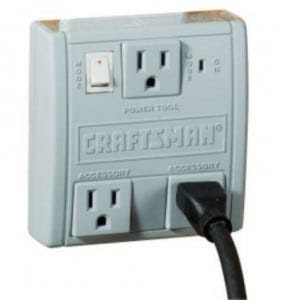
Like most people I don’t have a dedicated workshop, meaning my power tools share the garage with lots of things that aren’t happy about sawdust wafting over them like the morning dew. The solution is a Shopvac, but it can be a real hassle remembering to turn it on/off as I turn on/off my table saw, hand sander, Ridgid Oscillating Belt & Spindle Sander, etc. I’ve been woodworking at home for perhaps 18 years, and the best solution I’ve found is one of these little outlet boxes, which powers up multiple tools automatically.
You simply plug your main tool into the top outlets, then plug your vacuum or work light into one of the other two accessory outlets. Whenever you turn your tool on, it will automatically turn the other outlets on. When you turn your tool off, it waits a few seconds before turning the accessory outlets off, which is useful for clearing the line of dust, etc. I have two in my shop — one for each Shop-Vac so I never have to reconnect power cords or vacuum hoses!
I’ve been using these switches for four years. They definitely save time. On a given woodworking project, I generally turn machines on and off every few minutes and move from machine to machine. Without this switch, you would spend an extra 3 seconds and 2 steps turning it on and another 3 seconds and 2 steps turning it off. Doesn’t sound like much, but in reality those seconds and steps really start to add up, so you’d just end up leaving the vacuum on or using some other less effective dust collection (for example, an on-tool dust collection bag).
I had a discussion with someone about 9 or 10 years ago about how you could build one – and I actually found schematics for a load sensing relay that you could make one with. But for $20, this switch certainly beats trying to round up the components and DIY. — Yitah Wu
My electric bills are killing me, and now I can finally figure out exactly why.
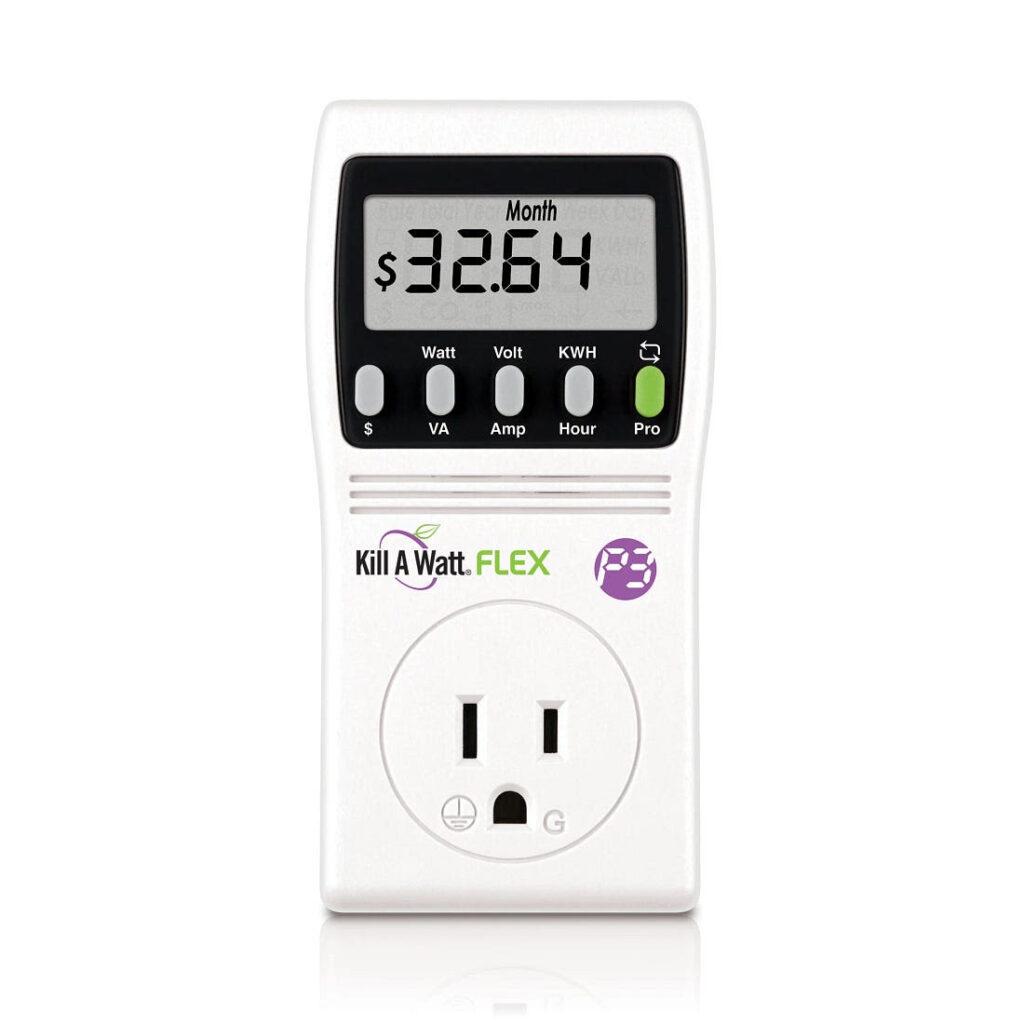
The Kill-A-Watt plugs into a wall outlet and will measure the actual electricity usage of any appliance. I’ve been wanting one of these things for years, to the point of seriously considering manufacturing one myself. I’m glad someone has finally done it for me. It looks like my computer costs me something like $216 a year to run. Trouble is, I have five of them. Something’s gotta go.
Street price for this device is about $30. I should save that much in the first month. — Curt Nelson
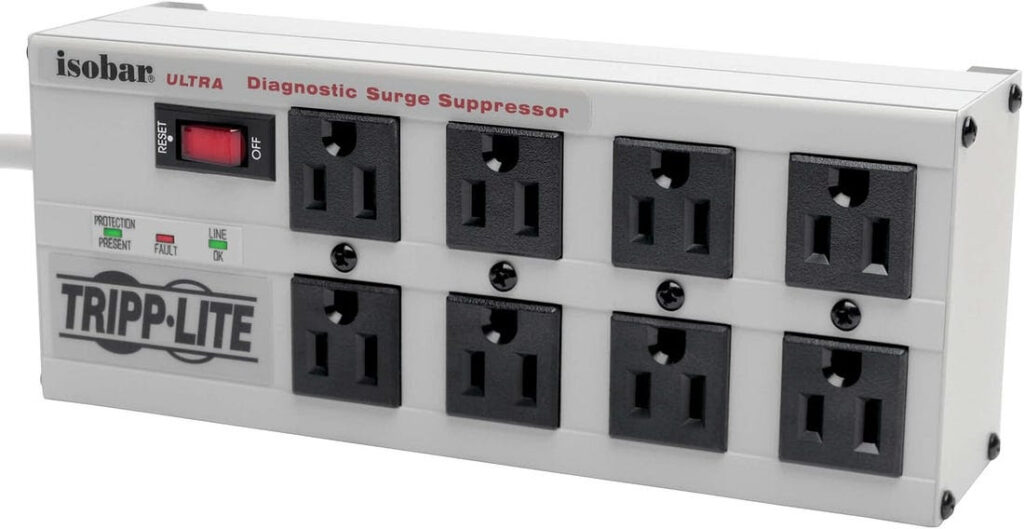
In the old days, I plugged all my computer equipment into a power commander, a large pizza-box device that sat underneath my monitor. It had have many outlets with individual power switches and a master switch on the front, allowing me to regulate which devices were draining power. I haven’t been able to find those power commanders anymore, but after more searching than I expected, I finally found this surge protector that has per-outlet power switches. For the last year, I’ve used two of them as cheap insurance for power regulation in my RV.
Power in an RV can be at a premium, especially if it’s coming from a generator or inverter (batteries/solar). A lot of the equipment in my RV is rarely used nowadays, but drains power if plugged in (vampire appliances!). Disconnecting specific devices is an easy solution — flipping a switch for each outlet is even easier.
I use one for the TV, DVD player, satellite, etc., and one for my computer, monitor, phone charger, external hard drive, etc. I’m now able to turn my computer on and off with the master switch, and turn rarely-used devices on and off only if needed (TV/DVD especially).
I’ve yet to analyze the electric bill — I’d need the previously-reviewed Kill-A-Watt (coincidentally on order) to know exactly how much power I’m saving. But this definitely helps me prevent using more than I expect. A great device for a cabin, RV or anywhere power use might be at a premium. — Mike Polo
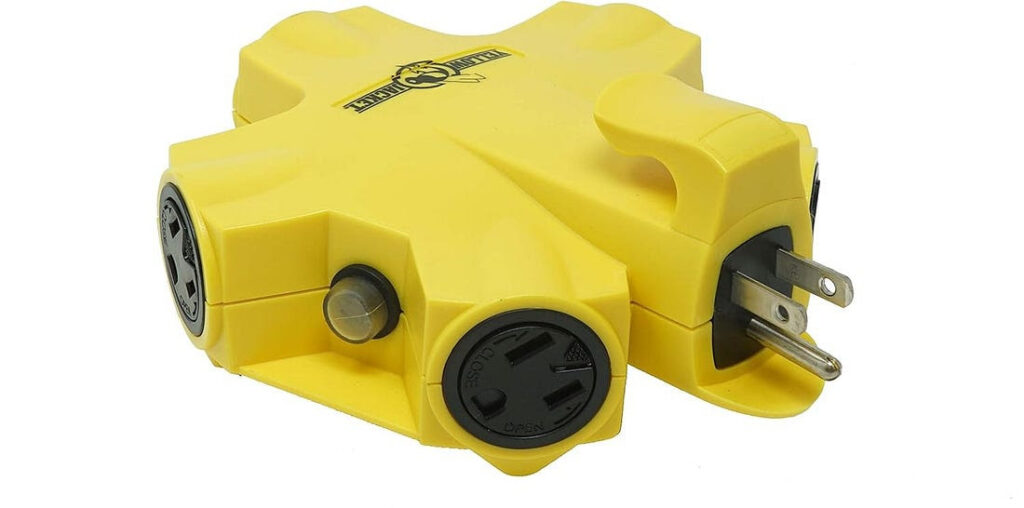
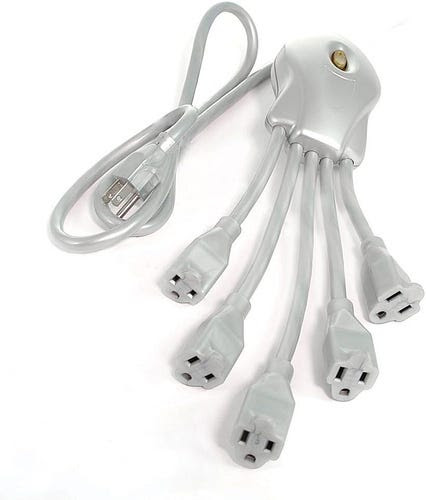
This indoor/outdoor 5-outlet adapter is the best I’ve found for dealing with multiple wall-warts. The outlets are spaced just far enough apart to allow virtually any size wall wart to fit, and you can chain together the adapters (each outlet has five outlets, so every additional one in the chain gives you four more outlets). It’s cheaper than specialty adapters like the PowerSquid, and it’s inherently more organized. If you chain a couple PowerSquids together, you’ve got a mess of extra cords on account of that model’s ‘tentacle’ design. If you daisy chain two Yellow-Jackets together, you’ve got a tidier package.
The Yellow-Jackets also feature cable restraints or ‘cord locks’ you can run the cables through. Personally, I cut them off to make the outlets more compact, but if you had five people working outside -- each using a power tool and each pulling the adapter in a different direction — these restraints make it so that you’d have to pull a lot harder to cause an accidental unplugging. — Stephen Malinowski
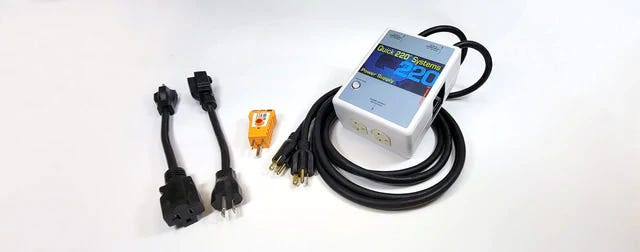
When I moved into my apartment I found it had a through-the-wall air conditioner sleeve. I ignored it and installed my window air conditioner. When that old AC died about 3 years ago, I was told by the co-op board that the rules had changed and I had to use the sleeve. I guess I should pay more attention to coop board announcements. My problem was that next to the sleeve was a 110V outlet but every AC that fit the sleeve required 220V.
After being quoted over $1000 to run 220V to the sleeve I was desperate to find another solution. Luckily, I found the Quick 220 Power Converter. All it took was the 110V outlet near the sleeve and an extension cord from another 110V outlet on a different circuit. Instantly, I had two 220V outlets. And at $160.00 I was very happy with the price. They also throw in an outlet tester because both 110V outlets must be wired correctly (not something you can assume in an old apartment) for the Quick 220 to work. — Donnie B
Once a week we’ll send out a page from Cool Tools: A Catalog of Possibilities. The tools might be outdated or obsolete, and the links to them may or may not work. We present these vintage recommendations as is because the possibilities they inspire are new. Sign up here to get Tools for Possibilities a week early in your inbox.