Countersink Drill Bit/Rainbow Maker/Teeny Turner Screwdriver
Recomendo Shorts #2
Recomendos:
Countersink Drill Bit
Rainbow Maker
Teeny Turner Screwdriver
Subscribe to our YouTube channel for more Cool Tools reviews
07/29/21Recomendos:
Countersink Drill Bit
Rainbow Maker
Teeny Turner Screwdriver
Subscribe to our YouTube channel for more Cool Tools reviews
07/29/21A cool tool can be any book, gadget, software, video, map, hardware, material, or website that is tried and true. All reviews on this site are written by readers who have actually used the tool and others like it. Items can be either old or new as long as they are wonderful. We post things we like and ignore the rest. Suggestions for tools much better than what is recommended here are always wanted.
Tell us what you love.
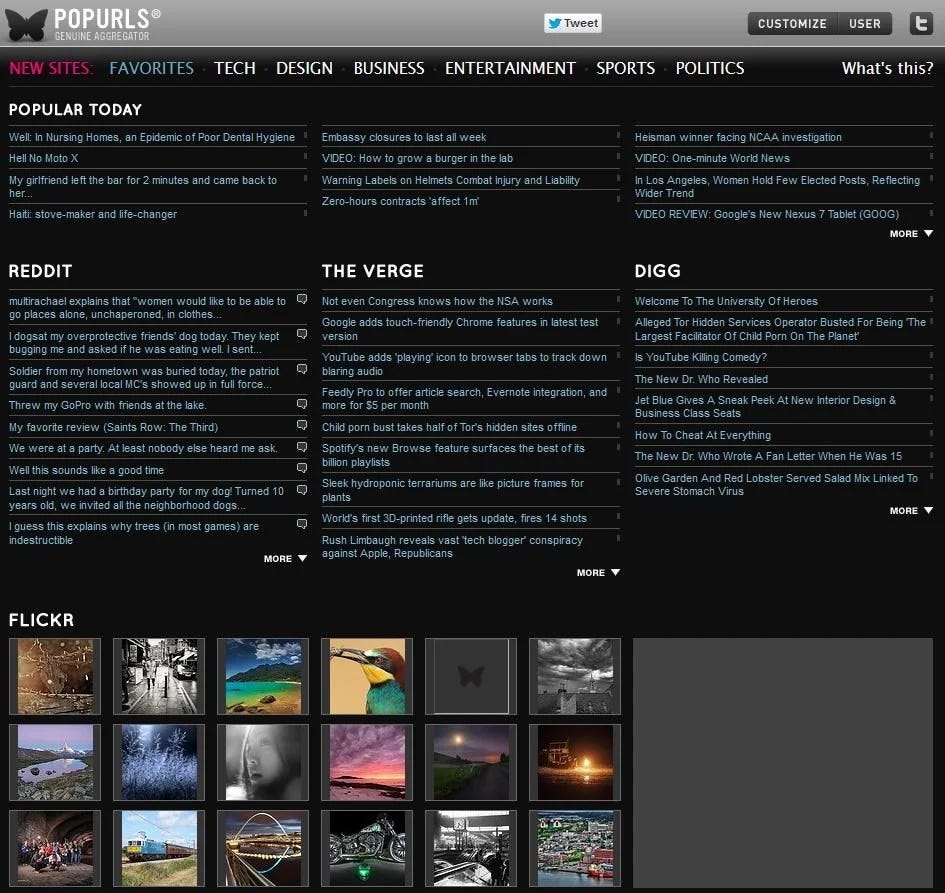
For the past 8 years Popurls has been my daily first stop on the web.
This single page now replaces my need to directly read Digg, Reddit, Delicious, Furl, Slashdot, BoingBoing, NewsVine, Metafilter and all the others that I subscribe too. This one page encapsulates up-to-the-minute headlines from 15 consensus filters, and top thumbnail images from the social sites Flickr, YouTube, and Google Video. The hive mind on one screen.
Here’s how I use it. On one page I can scan the latest headlines of what the web collectively thinks is either popular or interesting. A simple mouse over the headline will cleverly reveal a small box of expanded text on the article. If I want even more, a click will open the original entry in the filter. In five minutes I can scan 18 social site sources thoroughly. I get an excellent feel for what is new and what is worth following up (a small amount of overlap between sources helps).
The design of PopUrls is brilliant. There’s two flavors, black on white or white on black. Function drives form, buttons are minimal. It feels like a well-designed command post for a concise debriefing. Even on a large screen, like the 21-incher I use, there’s a bit of scrolling. But I’ve come to realize that I MUCH prefer this single fixed sheet to endless RSS feeds in a reader. In fact, the page is essentially an improved interface for multiple RSS feeds, which keep PopUrls constantly updated. The dashboard doesn’t move, while all the streams flowing into it keep it lively.
There’s no better way to watch the hive mind. — KK

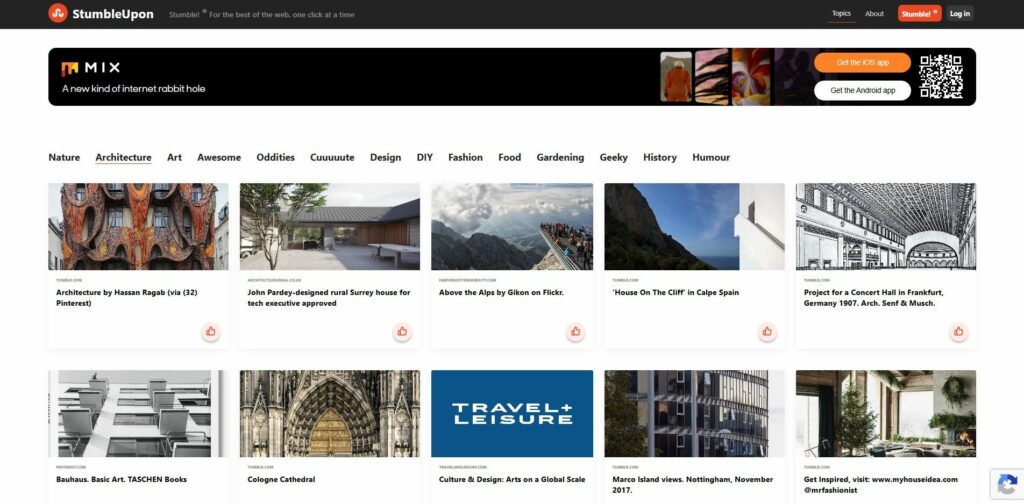
Stumble Upon is a community-based website recommendation engine that serves up fantastic random websites. Completely addictive, it still does that. But now that they have added search (including video and image search), it has moved from frivolous to useful, and Stumble Upon is beginning to replace Google as my primary search engine. You cannot yet add Stumble Search as the primary search engine in your browser, but the Stumble Upon tool bar makes it nearly as convenient.
Let’s say you are looking for a new dining room table. If you put “dining table” into Google you get a gazillion crappy tables. If you put the same search entry into Stumble Upon you get 100 of the coolest tables on the net. The same is true in its video and image search engine. For instance, when I wanted to find a video for my wife who was learning Roller Derby, I searched You Tube and got thousands of results, almost all of them below mediocre. But when I searched Stumble Upon Video I got only 10 results, and all of them were awesome.
The key to the system is that for every site that you “stumble upon” in your web surfing, you can give it a thumbs up or down (or tag or comment it). Really cool content propagates through the network fast, yet people trying to game the system to give their pages high stumble ranks get voted down very quickly. When I met the founders of Stumble Upon recently I asked how they managed to do this so well, and they said that they did not write a single line of code until they had worked out the anti-spam strategy. While there are several recommendation engines on the web like Digg, Delicious, and Reddit, Stumble Upon’s interface, huge active community, and easy tools make it the one that always delivers the highest level of cool stuff. It is basically how I find everything that I blog about. — Alexander Rose

Just because anyone can edit Wikipedia doesn’t mean it’s easy. Sure, you can edit anonymously and say anything you like, but if you want to make edits that last and if you want to participate in a meaningful way that complies with community guidelines, well, there’s a lot to learn. Guidelines can be hard to find on the site, and for better or worse, they’re always evolving.
As the pull-quote on the cover of this book indicates, Cool Tools has previously-recommended other Missing Manuals from O’Reilly. Like the other books in the series, Wikipedia: The Missing Manual is logically structured, includes lots of screen-shots, and is infinitely skimmable. A great introduction and a handy reference, the manual starts out with the basics: editing, creating articles and maintaining them (yes, that’s just the start). More advanced topics include collaboration, advanced formatting, broader site structure, and interface customization.
Documentation at the website is not particularly searchable given the site’s relatively simplistic one-box-fits-all search interface; browsing through documentation and discussion can be difficult and, frankly, overwhelming. In addition to the quite readable, cover to cover flow, the book has a comprehensive index that allows for quick navigation that delivers precise answers to the myriad questions that inevitably arise, especially when you’re just getting familiar with this medium.
Make no mistake, community consensus is always the last (ever-changing) word. But John Broughton, who has also overseen the Editor’s Index to Wikipedia project, can help you ease into editing without committing any major blunders.
The Manual has been migrated to Wikipedia. Checkout the dynamic incarnation at Help:Wikipedia: The Missing Manual. — Camille Hartsell
Once a week we’ll send out a page from Cool Tools: A Catalog of Possibilities. The tools might be outdated or obsolete, and the links to them may or may not work. We present these vintage recommendations as is because the possibilities they inspire are new. Sign up here to get Tools for Possibilities a week early in your inbox.
© 2022