Once a week we’ll send out a page from Cool Tools: A Catalog of Possibilities. The tools might be outdated or obsolete, but the possibilities they inspire are new. Sign up here to get Tools for Possibilities a week early in your inbox.
The endless summer
Work Your Way Around the World, $6 It’s many a graduate’s dream — pay your way as you travel around the world. I lived the dream myself when I was younger, so I know it is possible. Since then I’ve been tracking this subject faithfully, and have read through scores of books and websites offering how-to advice on the dream. They won’t hurt, but this fantastic book — now in its 14th edition! — is really the only one that will give you much help before you leave.
Most of these kind of books are a bunch of hand-waving generalities, or out of date particulars; this one is very specific and very current. It is massively researched, with tons of incoming gossip on where the easily-gotten jobs are this year, and what to do about paperwork and visas in that particular place, and how to land the job, and what you should expect, and letters from those who just did it. It’s all very helpful, practical and inspiring. But don’t get your hopes too high. There are really only two kinds of dependable quick jobs to be found “around the world”: 1) In the service industry in Europe — working at hotels, resorts, bars, camps for other tourists; and 2) teaching English in Asia. For most kids, that’ll be enough. There are hundreds of exceptions to these two, and this book will do its best to point you to them, but they are far fewer, and more dependent on chance. But even that skill — cultivating chance — is tackled with great intelligence in this meaty book, which I can’t recommend too much.
The author Susan Griffith is very prolific and at the center of a number of other related ongoing books, also recommended: Teaching English Abroad, Your Gap Year, and Summer Jobs Worldwide. – KK
How to sell your crafts
The Handmade Marketplace, $13 The giant crafts website Etsy makes it easy to list homemade stuff to a potential audience of millions. But the hard part is getting anyone to pay attention and actually buy it. That requires some basic business and online marketing skills, which are reviewed here, with the home crafter in mind. – KK
What best advice would you offer a crafter who is looking to gain national attention for their work? Invest in great product photography. Great work sells itself, so you need to do everything possible to make sure the beauty of your work comes through in a way that’s apparent to people reading about you online or in print because most people won’t see your work in person.
Are you getting some really great feedback about something in particular that you’ve made? Consider posting these compliments in the description of your item.
Keep these customer service practices in mind at all times: The customers may not always be right, but they do deserve your full attention and respect regarding the matter at hand. Apologize first. What if you didn’t do anything wrong? you may ask. Well, while that may be the case, that’s not really the point. You can, in fact, regret that your customer is upset in any regard. Simply recognizing that your buyer has a problem and has had to take the time out of a busy day to alert you to it is reason enough to apologize. Ask what will make the situation right. If what the customer wants is reasonable and you can do it, you should consider it. Taking a hit on a sale is a small price to pay when it comes to your overall reputation and the trust you are trying to build with your market.
Everyone is in sales
To Sell is Human, $16 Dan Pink argues that hard selling no longer works as it once did; what we need in this new information economy is soft selling. Soft sales are not just for sales people; everyone now is in the business of selling. Soft persuasion techniques are useful to anyone sending an email, writing a resume, doing a kickstart project, even twittering. A seller – either professional or citizen – can no longer rely on the old tactics such as “overcoming objections” and “closing an offer” but must shift to new skills such as improvisation, attunement, and service. Pink arrives at the radical idea that selling well makes us better humans, and better humans sell better. This book accomplished two things: it persuaded me that I am in sales, and it gave me some new tools for gently selling what I have to offer. – KK
Successful negotiators recommend that you should mimic the mannerisms of your negotiation partner to get a better deal. For example, when the other person rubs his/her face, you should, too. If he/she leans back or leans forward in the chair, you should, too. However, they say it is very important that you mimic subtly enough that the other person does not notice what you are doing, otherwise this technique completely backfires. Also, do not direct too much of your attention to the mimicking so you don’t lose focus on the outcome of the negotiation. Thus, you should find a happy medium of consistent but subtle mimicking that does not disrupt your focus.
After someone hears your pitch … 1. What do you want them to know? 2. What do you want them to feel? 3. What do you want them to do? If you’ve got strong answers to these three questions, the pitch will come together more easily.
One way to do better is with what I call “emotionally intelligent signage.” Most signs typically have two functions: They provide information to help people find their way or they announce rules. But emotionally intelligent signage goes deeper. It achieves those same ends by enlisting the principles of “make it personal” and “make it purposeful.” It tries to move others by expressing empathy with the person viewing the sign (that’s the personal part) or by triggering empathy in that person so she’ll understand the rationale behind the posted rule (that’s the purposeful part).
Become a Patron!Support our reviews, videos, and podcasts on Patreon!
Cool tools really work.
A cool tool can be any book, gadget, software, video, map, hardware, material, or website that is tried and true. All reviews on this site are written by readers who have actually used the tool and others like it. Items can be either old or new as long as they are wonderful. We post things we like and ignore the rest. Suggestions for tools much better than what is recommended here are always wanted.
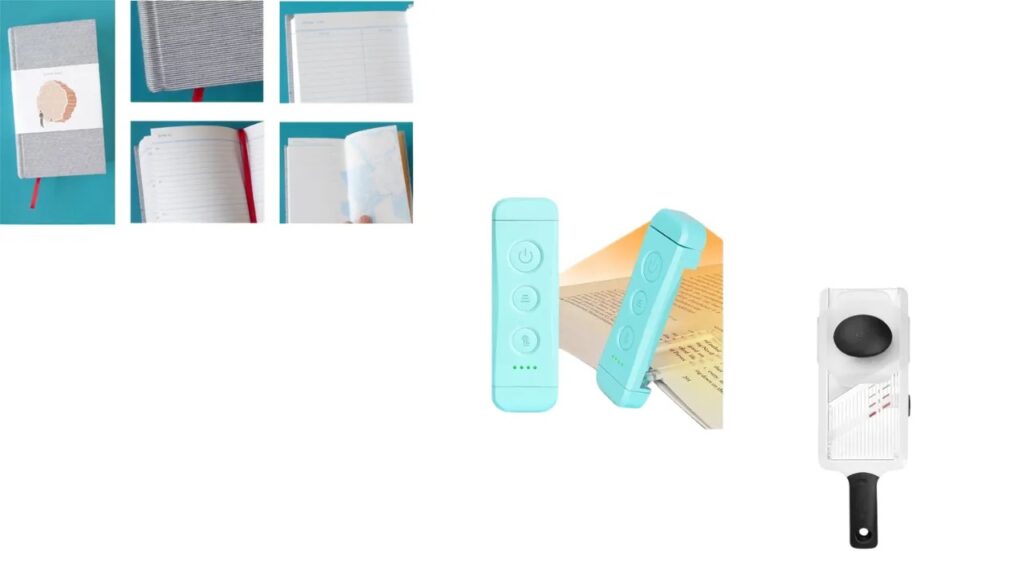
Five year diary- only a couple sentences a day, but the perspective that emerges once you are into the second or third year is incredible. Like, it turns out everything bad happens to me on December 11. Everything good is first week of April. I’m on year 7.
Reading light (bookmark style from Glocusent) - this tiny thumb drive of a nightlight saves me from looking at my phone if I’m awake in the night, with warm and cool settings and different brightness.