Once a week we’ll send out a page from Cool Tools: A Catalog of Possibilities. The tools might be outdated or obsolete, but the possibilities they inspire are new. Sign up here to get Tools for Possibilities a week early in your inbox.
Best knot teacher
Animated Knots, animatedknots.com All knots are knotty and hard to visualize the first time. This free website is the best knot teacher yet. It beats any of the beginner books I’ve seen, as well as all the other knot websites. The key here is the stepped animations synchronized with instructions, which you can run at any speed. Replay them till you get them right. Animated Knots is the next best thing to having old Pete next to ya. Once you get the basic ones down, try some of the harder ones. There are 75 cool knots animated in total. – KK
Next step beyond the basic knots
Morrow Guide to Knots, $18 Knots are such fundamental tools, and matching the right job with the right knot is so often essential, the important next step from the Klutz Book is the equally lucid and fairly comprehensive Morrow Guide to Knots. Last week my wife Ryan gave a glad cry at the clarity in the book when she wanted to see a couple ways to tie a clove hitch, and learned that it’s easy to put a slip in a clove hitch for quick release. – Stewart Brand
Knot substitute
Nite Ize Figure 9 Carabiner, $7 The Figure 9 carabiner lets you quickly fasten – and quickly loosen or adjust – a small-diameter rope to a fixed point without a knot deploying a clever combination of friction and angles. To those of us with knot-dyslexia, this is a real boon. The only requirement: your fixed attachment point must feature either a place to clip the carabiner (i.e. a metal loop in a pick-up truck bed or a thin, sturdy tree branch), or something around which your line can be looped. That could mean securing a Tarp tent to a tree, improvising a handle around a bundle of cables, or securing a travel clothesline between window-grate and curtain-rod.
All you need to do is pull the rope through in the right sequence and finish with the rope’s loose end tugged into the notched “V” section to keep the rope attached and taut. There are actually multiple sequences and ways to work the geometry. Three methods are diagrammed in the instructions that come with the carabiner.
Thus far, I have used the devices only with standard-issue parachute cord, but they’re sized to work with a range of small-diameter ropes. Though the tying system looks suspiciously wimpy, I’ve found it is as robust as promised. I ordered the Figure 9s to replace the mesh netting that came with the roof-rack basket on my car. Not only do these make a decent replacement (i.e. riding around with a kayak strapped to my car this summer), but tying one more knot under the car is something I’m glad to skip. Note: the device is anodized aluminum and weighs a bit more than I expected (slight downside to ultra-light hikers); still, “Not for climbing” is printed on the packaging, repeated in the instructions, and emblazoned on each carabiner. I think they mean it. – Timothy Lord
Quick, easy tie-down
Rope Ratchet, $20 (¼-inch, w/rope) roperatchet.com I wanted to rig a single line of rope across the ceiling of my garage for a storage solution, but was concerned about getting the line tight enough to keep from sagging. Rather than tie up a come-along winch – which requires a lot more hook up room and has a tendency to release quite hard – I saw the Rope Ratchet and decided to give it a try; I’m glad I did. The contraption is basically a rope that’s fed into and around a ratcheting wheel and bracket that holds the line and prevents backspin; you can release the line with a lever. It’s quite simple, but I haven’t seen anything quite like it. I’m using one to hold up a 70-lbs. tackle bag 6 feet off the floor of my garage and another holding about 80 lbs. of plastic lures on a rope stretched across hooks against the ceiling of my garage. I’m using the ¼-inch Rope Ratchet that’s rated for a working load of 150 lbs., but there are different sizes for different needs: the 1/8-inch will hold 75 lbs. up, while the ½-inch will hold 500 lbs. After a number of months, mine are holding strong with no sign of failure. – Doug Mainor
Become a Patron!Support our reviews, videos, and podcasts on Patreon!
Cool tools really work.
A cool tool can be any book, gadget, software, video, map, hardware, material, or website that is tried and true. All reviews on this site are written by readers who have actually used the tool and others like it. Items can be either old or new as long as they are wonderful. We post things we like and ignore the rest. Suggestions for tools much better than what is recommended here are always wanted.
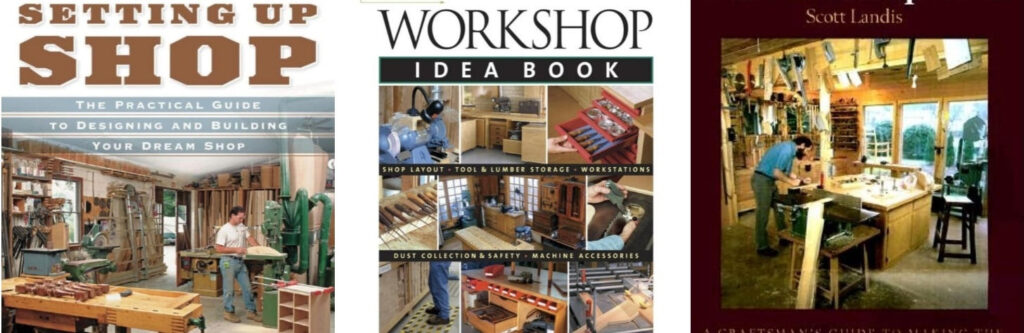
Tools need a home. Setting Up Shop is the best guide I’ve found for designing a workshop. It focuses on the practical details that other workshop books tend to ignore, like how to arrange the lighting, or set up dust collectors, design the placement of wiring, even determining the height of work surfaces. It got me thinking about aspects of a shop I had not considered before and helped me improve the plans for my shop. Its very thorough coverage of sound, light, air, and movement options makes it the most useful of the three books mentioned here.
Workshop Idea Book is a scrapbook of hundreds of tips and clever solutions for a shop discovered by others. It showcases a lot of storage suggestions, and ideas for arranging stuff, such as how to handle large sheets of materials. Think of it as a kind of great, well-curated Pinterest board for workshops.
Both of these books are biased to wood. A better version of either book would include metal and plastic working tools, which are ignored. This failing is somewhat countered by The Workshop Book which tours through a much larger variety of work places. It documents several workshops installed in trucks, or fit into apartments, or made portable with everything mounted on casters. I found the greater diversity of shops covered in this collection to be more useful to me since my shop is more general purpose.
The great designer’s guide to creating a small-time prototype shop with laser cutters, 3D printers, solder stations, as well as drill presses and table saws, has not be written yet. In the meantime, these three idea books will get you started. — KK
From Setting Up Shop
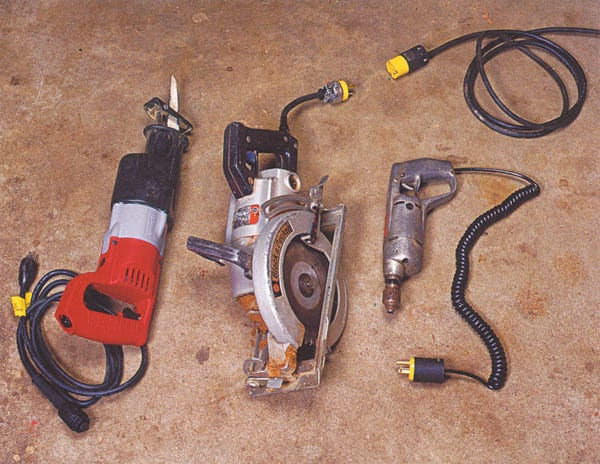
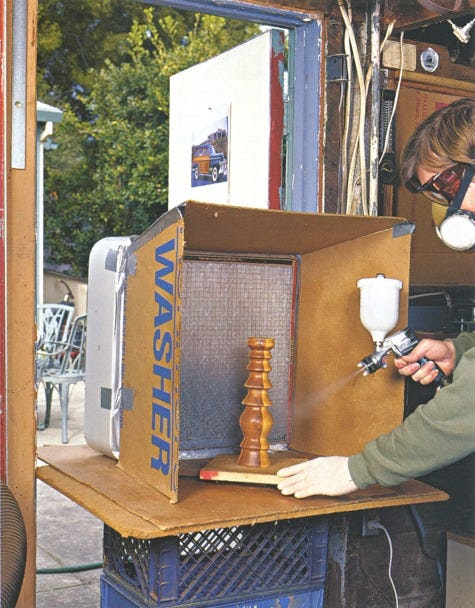
Three strategies for preventing long cords on portable power tools from ending up snarled and tangled are (left to right): Buy tools with detachable power cords, such as this Sawzall; fit each tool a short pigtail and plug it into an extension cord (using locking plugs) before using it; and refit existing power cords with tangle-resistant, self-retracting coil cords.A box fan, a furnace filter, three pieces of cardboard, and a little duct tape are all it takes to build a simple spray booth that sets up in minutes in front of a window or doorway, allowing you to spray-paint or clear-finish parts and small projects.By setting tables to the same height and leveling them, a workpiece can pass over any or all of these machines.
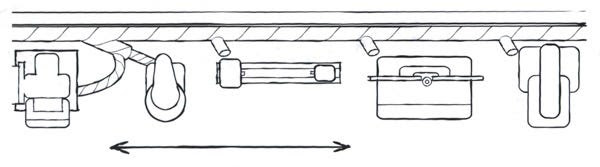
Orienting Machines in a Line
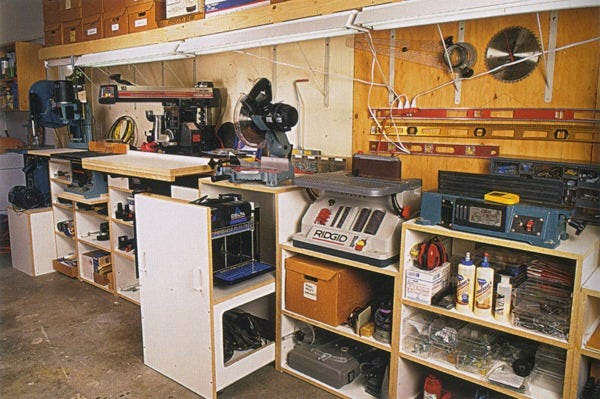
By carefully coordinating the positions and table heights of stationary machines, you can reduce the amount of clearance between certain machines. For example, by placing machines such as a shaper/router table, oscillating-spindle sander or disc sander, and horizontal boring machine in line, then setting them up with all their tables level and at the same height, a long workpiece may rest or slide on an adjacent machine's table (as shown here). Such an arrangement allows you to handle large or long work without having to rely on outfeed tables or roller stands for support. For this same reason, it's a good idea to level the tabletops of benchtop tools that are in close proximity to one another.
Machines such as a bandsaw, drill press, router table, shaper, stationary sanders, lathe, joinery machines, and overarm routers are ideal to locate along a wall. Power and dust collection are easy to hook up.
From Workshop Idea Book
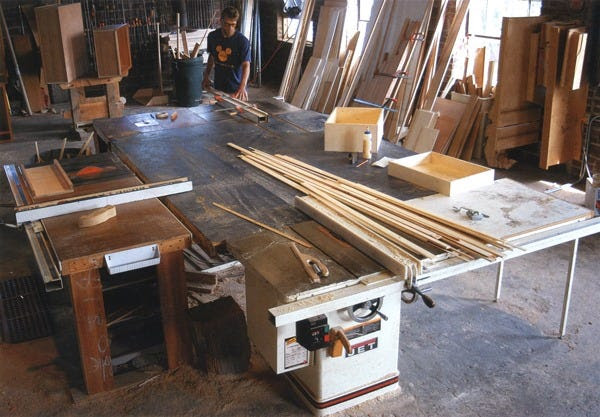
THREE SAWS IN ONE. For serious production work, two or more saws combined into one sawing station let you mill wood and cut joints without breaking down your setups. The three cabinet saws at Placeways Woodworking share a central shopbuilt table, which doubles as an auxiliary work surface.
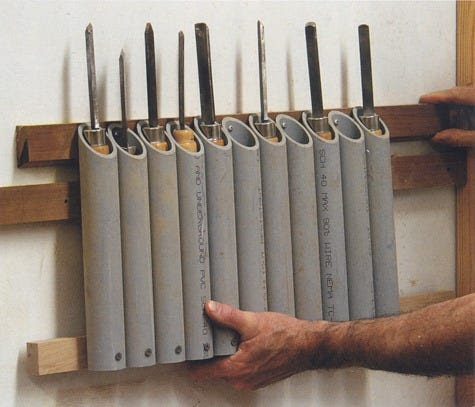
PLUGGED PIPES. Make good use of inexpensive PVC pipe to store lathe tools and make them portable as well. Doug Stowe's pipes are mounted to a French-cleat system on the wall and can be moved to the lathe when needed. The top of the pipes are cut at an angle to facilitate loading, and the bottoms are plugged with wood.
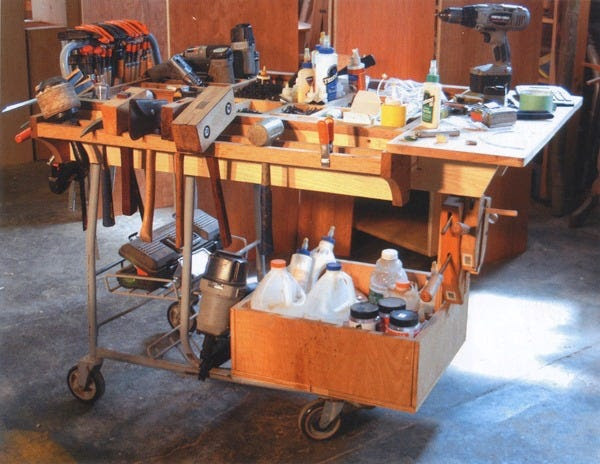
SHOPPING IN THE SHOP. A converted shopping cart makes a convenient rolling hardware station. For his cart, dubbed the "piercing pagoda," Gabe Aucott added a plywood top fitted with divided boxes to keep screws and other hardware neatly sorted and a staging platform at one end. Below, a large plywood box holds glue and other assembly tools.
From The Workshop Book
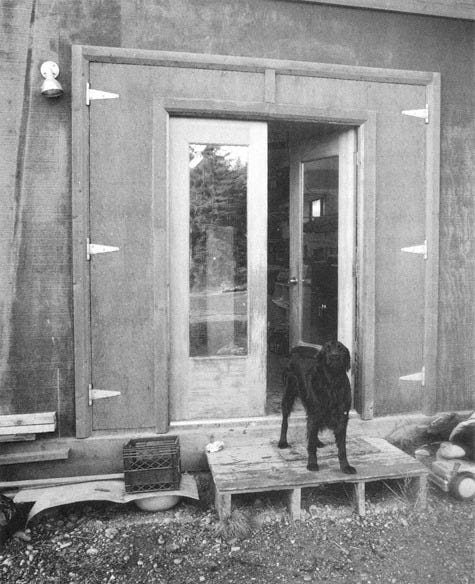
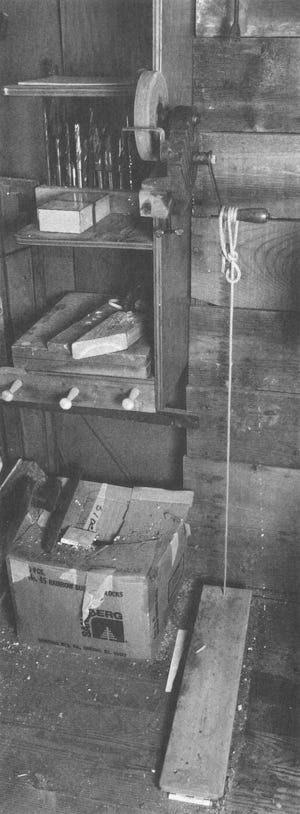
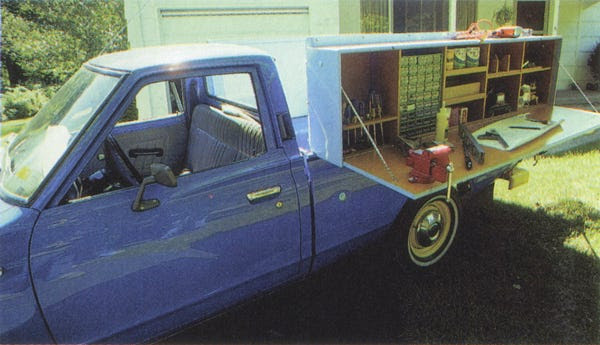
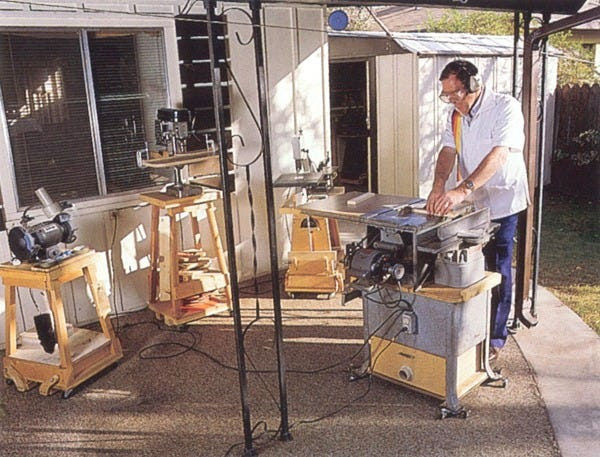
By hanging two narrow doors within two larger doors, Martha Collins can create four different openings to accommodate movement of objects large or small.Years ago, when I worked in a shop without electricity, I had a hand-cranked grinder. It did the job, and I liked the slow speed, but I found it irritating to hold the tool with one hand and crank with the other. Fred Matlack converted his handcranked grinder to foot power by adding a rope and a hinged pedal. He gets the wheel going with the crank, then keeps it going with the pedal. The arrangement frees both hands to guide the tool.Two plywood cabinets flank the box of Lester Walker's Datsun Pickup truck. Walker, of Woodstock, New York, built one cabinet for woodworking tools and supplies and the other for camping equipment. On the road, the space between the two cabinets is covered with waterproof canvas and serves as a tent.Donald Kinnaman packs the contents of an entire workshop into a 90-sq. ft. metal shed next to his Phoenix, Arizona, home. He rolls the machines he needs out onto the covered patio behind his house and goes to work.
Once a week we’ll send out a page from Cool Tools: A Catalog of Possibilities. The tools might be outdated or obsolete, and the links to them may or may not work. We present these vintage recommendations as is because the possibilities they inspire are new. Sign up here to get Tools for Possibilities a week early in your inbox.