06 November 2026
The South Carolina family that murdered itself out of existence
The Last of the Bighams by J. A. Zeigler

This is the fourth Deep Cut Book Club Edition. Paying subscribers can download the free ebook using the button at the bottom of this issue.
Leonard Smiley Bigham Sr. established a plantation on the Great Pee Dee River near Pamplico, South Carolina, in the mid-1800s. He was a violent, ruthless tyrant suspected of murdering nine people, but he never served any prison time. He taught his son, Leonard Smiley Bigham Jr., how to succeed by cheating, beating, and killing other people.
Bigham Jr. learned well. He allegedly poisoned his father by giving him a glass of cyanide-laced milk in 1879 so he could take over the plantation, and in 1887 he became Florence County’s first state senator. Unfortunately for Junior, his wife, Dora, used the same poisoned-milk trick to knock him off.
Before she murdered her husband, Dora bore him five children, who carried on the family tradition of mayhem and murder, recounted in J. A. Zeigler’s The Last of the Bighams. All in all, the Bigham clan was linked to nearly 20 murders, and they may have killed even more people. Anyone who got in their way, or merely irritated them, had a good chance of being killed, either in a fit of rage or in a coolly planned assassination.
Zeigler, a newspaperman at the Florence Morning News, self-published The Last of the Bighams, subtitled “With illustrations from the album of a strange family who by their own misdeeds have become extinct.” It is at times awkwardly written and riddled with typos (which I’ve kept), but it’s a fascinating page-turner about an evil family with an unbelievable streak of luck in avoiding prison. Zeigler rushed the book out after the sentencing. It’s hastily written, but Zeigler is a colorful, opinionated, and often funny storyteller.
The Bighams committed horrific acts of violence as thoughtlessly as most people make their morning coffee. And they were equal-opportunity murderers, as happy to kill people inside the family as outsiders. The book’s dramatic peak describes a massacre reminiscent of the Red Wedding in Game of Thrones. It concludes with the multiple trials of the murderer, who almost escaped the consequences of his horrendous crimes.
I won’t spoil the story by telling you who the murderer was. But because the book ends with his sentencing, you might want to find out his ultimate fate, which you can do easily with a Google search.
Download the Book Freak Edition
This is the fifth book in the Deep Cuts Reading Club, a paid subscriber benefit. Every month, I take an interesting, obscure public-domain book and turn it into an EPUB and PDF ebook, with a short introduction.
The link to the Deep Cuts edition of The Last of the Bighams is below.
If you’re reading this as a free subscriber, the club is part of a paid subscription ($5/month or $45/year). Join the club here. And if money is tight, email me at editor@cool-tools.org, and I’ll comp you…
Book Freak is published by Cool Tools Lab, a small company of three people. We also run Recomendo, the Cool Tools website, a YouTube channel and podcast, and other newsletters, including Recomendo Deals, Gar’s Tips & Tools, Nomadico, What’s in my NOW?, Tools for Possibilities, Books That Belong On Paper, and Book Freak.
11/6/2605 November 2026
Easy Travel Coffee/Priciest Destinations/Worldwide Airplane Wi-Fi
Nomadico issue #230
Portable Pour Over Coffee
I mentioned in issue 227 that I bought a French Press for my five weeks in Peninsular Malaysia, but I left it behind when it was time to get on a plane again. Now in Chiang Mai, I bought some disposable pour-over coffee packets that come ready to use. They work well because they adjust to any size mug and only require hot water. They are made of paper and cardboard and open up from a flat packet. I found these that are similar on Amazon, but some other brands end up costing $2 – $3 per cup, which seems excessive. Bring that down by buying your own coffee to put in empty filters that pack up flat ($5 for 50) or pack a reusable collapsible version that will work for larger tumblers.
Priciest Travel Spots
You can probably guess a few countries that are vacation budget-busters, but travel insurance company Squaremouth crunched some numbers to find out for real which ones really will drain your wallet the most. The airfare part of the score is from the USA, so keep that in mind, but the top 6 were Greenland, British Virgin Islands, French Polynesia, Antarctica, and Switzerland. Some of the others might surprise you though since the people living there are far from rich, like four countries in Africa where tourists are paying a bundle for safaris. (Average daily trip cost in Botswana: $1,526.)
Worldwide Wi-Fi on Delta Airlines
The first airline to offer Wi-Fi worldwide to its loyalty members is Delta, as it just completed the project to get its Asia-Pacific flights connected, the last ones on their list. The only planes where you won’t be able to log on for free if you’re a SkyMiles member are the 5% that are narrow-body regional planes, though they will be included eventually as well. See the details here.
The History of Religions
How It Evolved is a project dedicated to showing the evolution of the world’s major religions, with audio chapters you can listen to in depth or a timeline chart showing one or all of them stacked up in parallel. The timeline is especially enlightening when you consider the game of Broken Telephone or Chinese Whispers, when one person says something in the ear of another and it goes down the line. (The end result from the last person is usually comically different from the original.) How much changed in the 300+ years of oral storytelling between when Jesus died and the New Testament books were published for the first time? Or in the 500 years between the death of Buddha and the first recorded teachings? That’s before all the divergent changes and branch-offs still going on today.
A weekly newsletter with four quick bites, edited by Tim Leffel, author of A Better Life for Half the Price and The World’s Cheapest Destinations. See past editions here, where your like-minded friends can subscribe and join you.
11/5/2604 November 2026
What’s in my NOW? — Stephen Kinsella
issue #277
I’m a Professor of Economics at the University of Limerick in Ireland, I’ve helped create some interesting courses in Software Engineering and Bioscience. I love reading these and thought it might be nice to do one of my own. — Stephen Kinsella
PHYSICAL
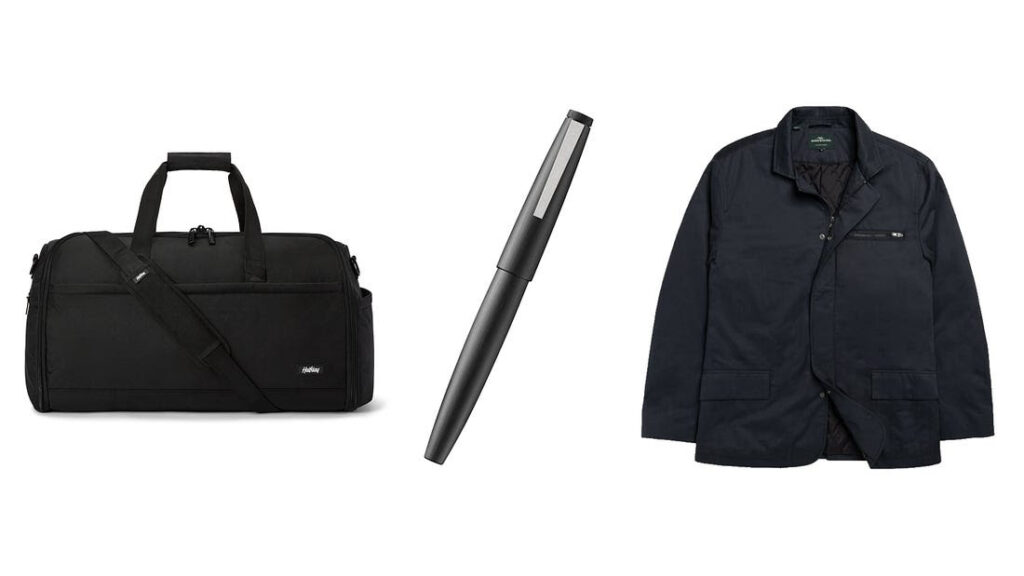
- Halfday Garment Duffel Bag. I travel at least once a week and it is a pleasure to use this bag. It is perfectly formed around a specific need. It helps me carry one suit, a spare shirt, some workout gear, and some toiletries, in a designed bag that is exactly adapted to the use case I have. It makes me happy using it.
- Lamy Fountain Pen 2000. A luxury item, mine is twelve years old now, with the fine nib. It feels great to use, looks great, and it is a little piece of design excellence you get to enjoy daily. I use Asa-gao Iroshizuku ink because it looks fantastic on the page and works well with this pen.
- Rodd and Gunn Jacket. I love all of this brand’s products, and have several, but this jacket is my favourite.
DIGITAL
- Freedom. I bought a lifetime subscription a while ago. It blocks the stupid stuff when you need to try to be focused and clever.
- YNAB. A budgeting app that saves you money because it forces you to focus for a minute on money. I keep it as simple as I can with this.
INVISIBLE
᚛ᚐᚏ ᚐᚌᚆᚐᚔᚇᚆ᚜ This is Ogham, an ancient Irish alphabet, written linearly and on stone. What you are looking at is ‘Ar Aghaidh’, or ‘Onwards’.
Sign up here to get What’s in my NOW? a week early in your inbox.
11/4/2603 November 2026
MOS: Selected Works / The Art of Zootopia
Issue No. 142
MOS: SELECTED WORKS – A COLLECTION OF THE PLAYFUL ARCHITECT COMPANY’S UNUSUAL AND ECCENTRIC WORK
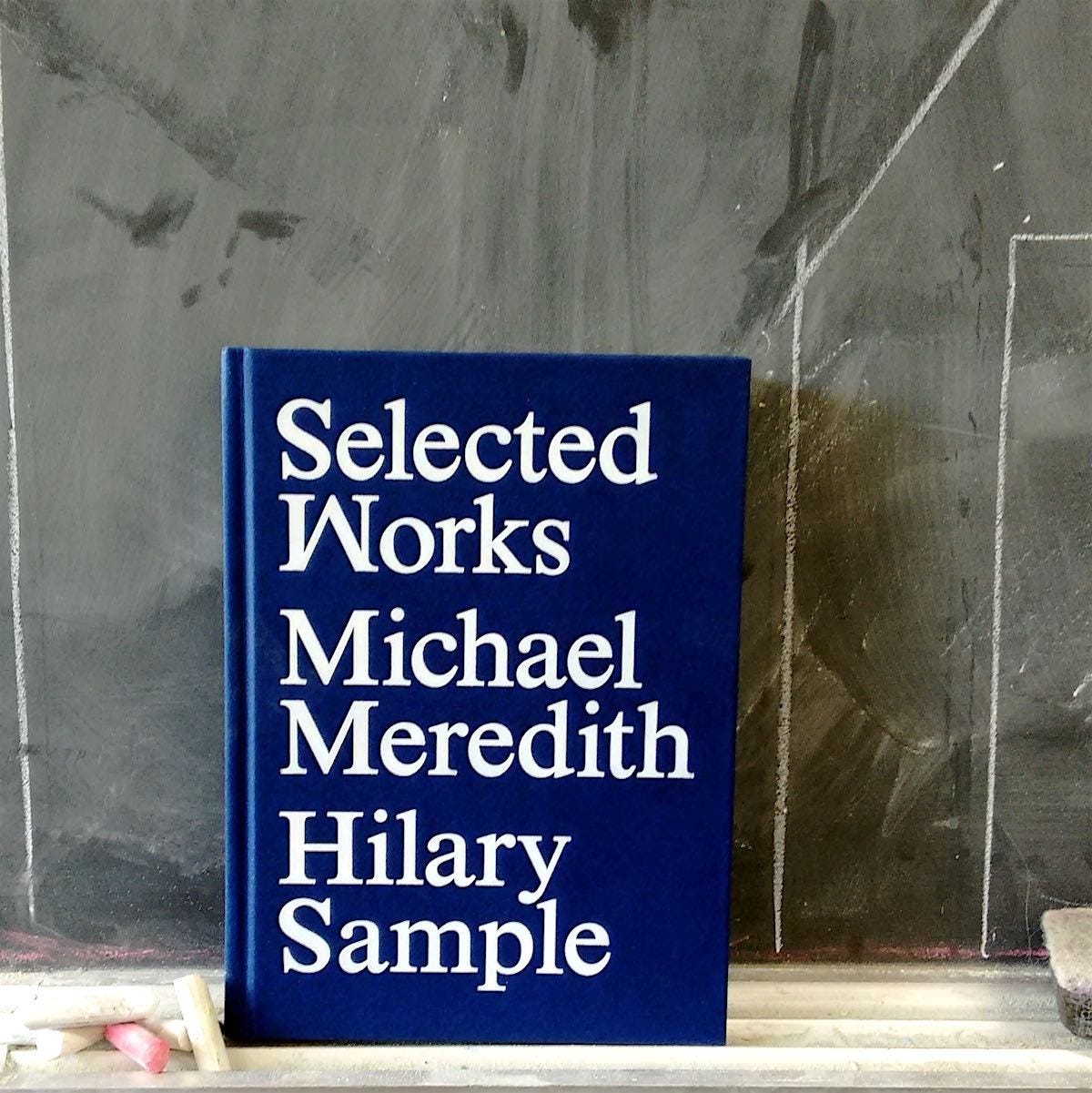
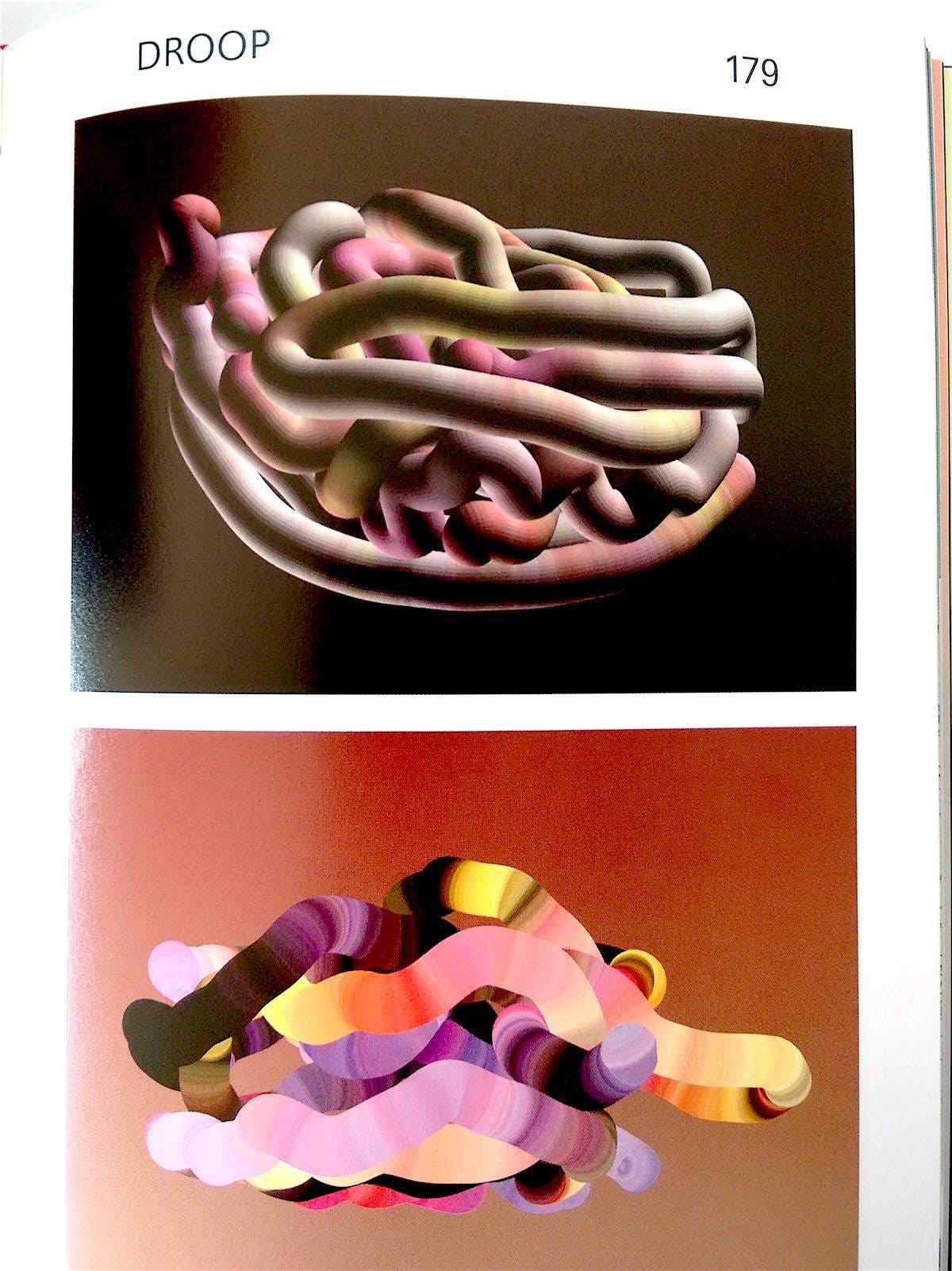

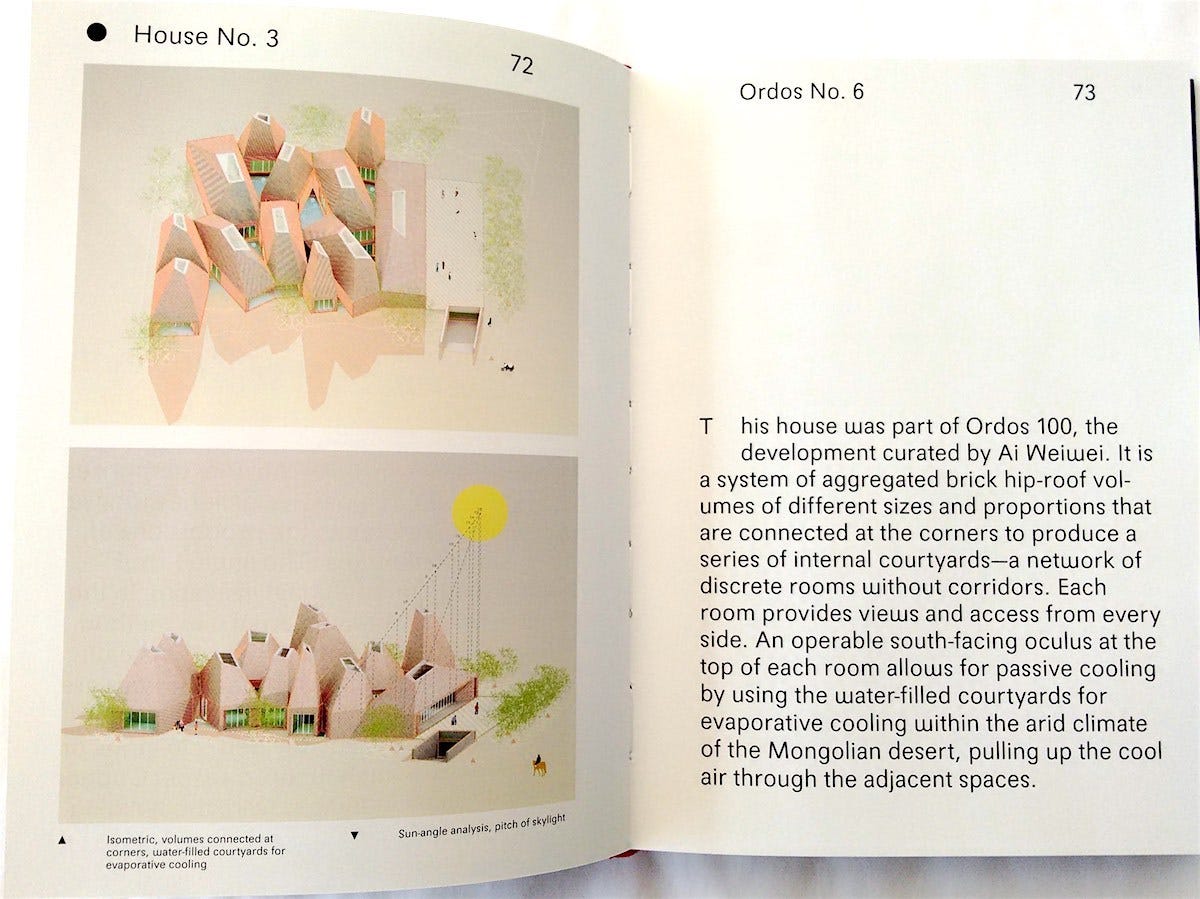
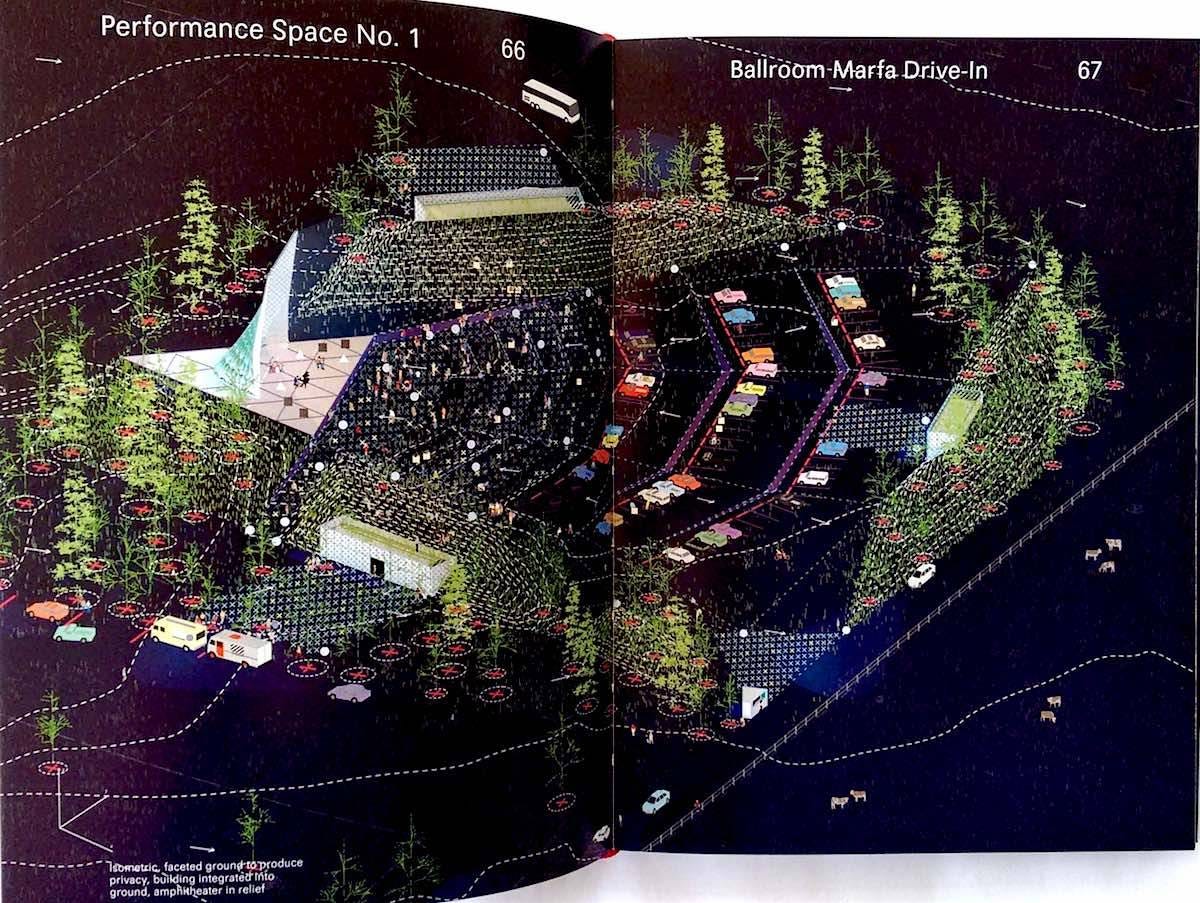


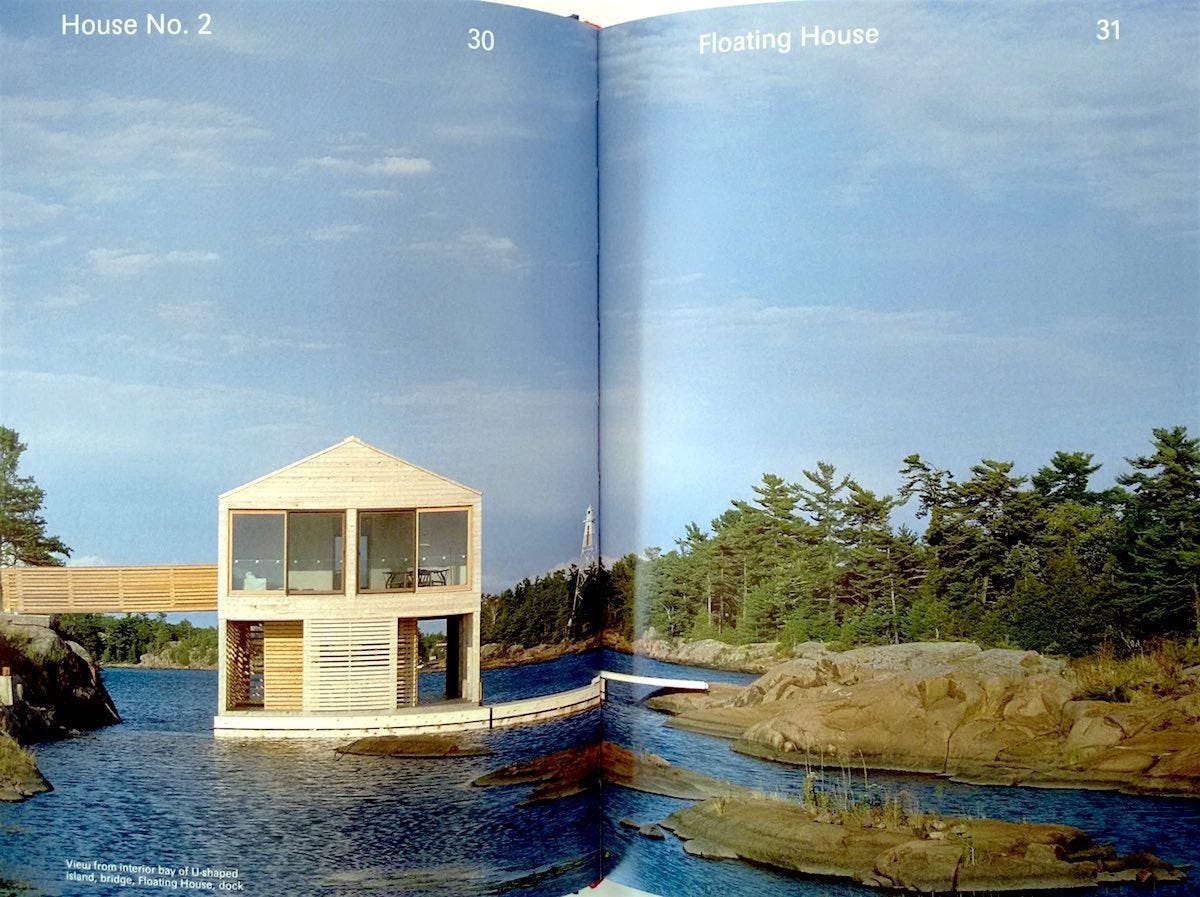
MOS: Selected Works
by Michael Meredith and Hilary Sample
Princeton Architectural Press
2016, 288 pages, 6.2 x 8.5 x 1 inches
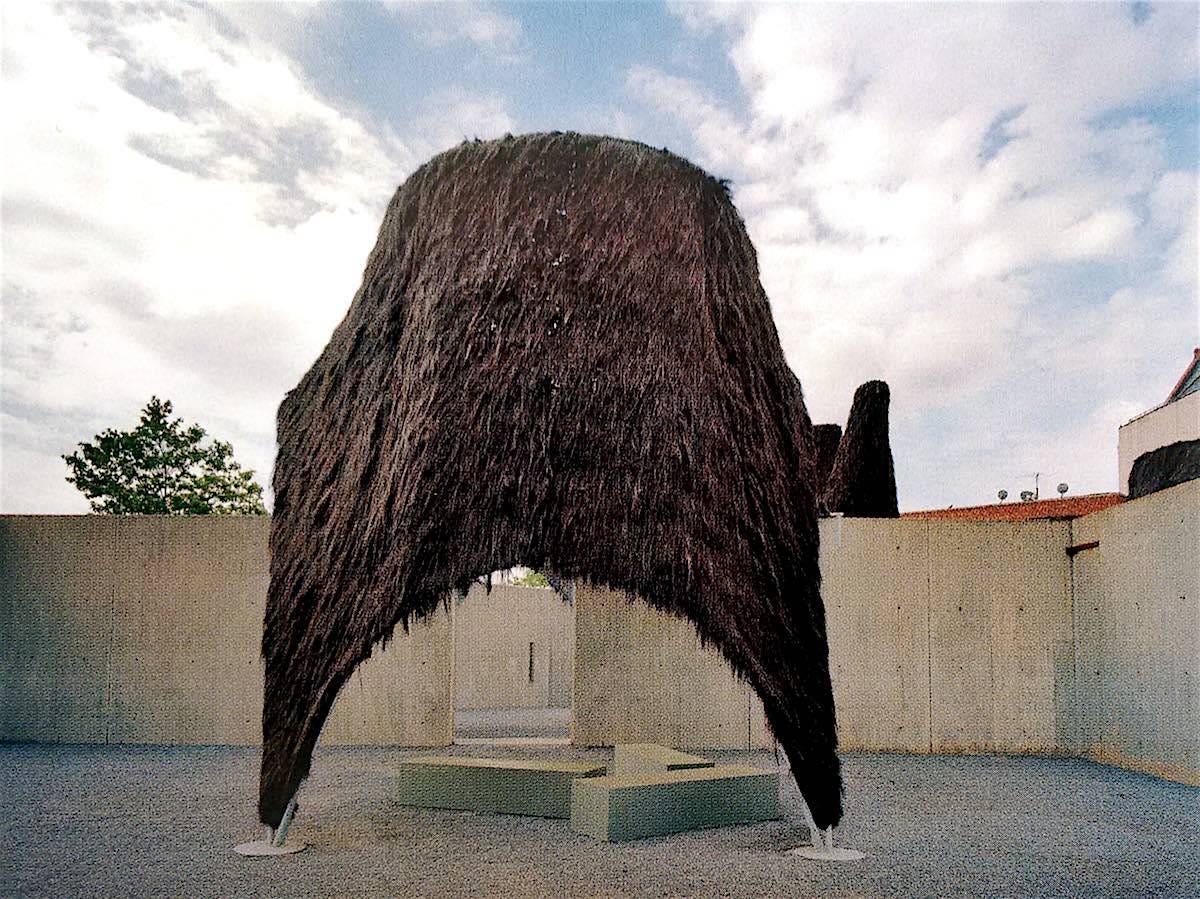
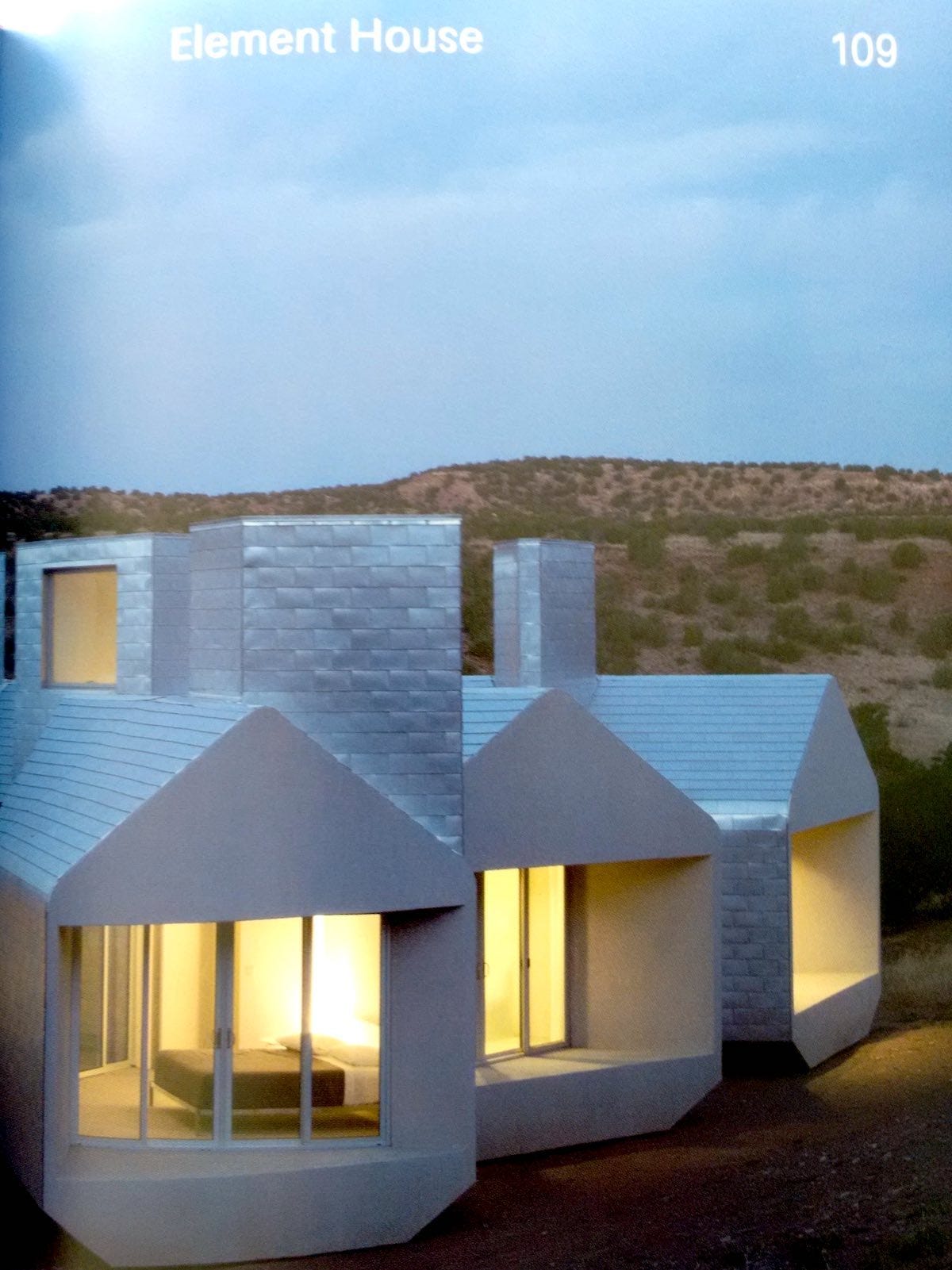
If the enormous hairy solar chimneys that these architects once built in the middle of Long Island City don’t make you smile, then your sense of play might need renovation. The fun-loving, aggressively eccentric work of MOS Architects includes some recurring motifs: canopies, unusual materials, solar chimneys, shaft lighting, and buildings that look like blocks tumbled to earth. Engaging for architects and non-architects alike, this is a book that I keep picking up: to look through the illustrations, to wonder at, to think about how to work creatively, to show something weird and wild to a friend. While there is some discussion of theory in the included essays, this is a book refreshingly light on architectural jargon.
The architectural historian Lucia Allais suggests in an included essay that one of the primary questions that the work of MOS poses is, “Is this simple or complex?” While the works presented are often simple, the reactions they provoked for me were complex, ranging from confusion to glee to disbelief. Crammed with 300 images, the just-released MOS: Selected Works demonstrates the firm’s unusual range of having produced buildings, installations, furniture, software, films, and pavilions, along with smaller works (like this book).
MOS, as a firm, is on a very serious mission to advance the limits of architecture, but without taking themselves too seriously. Their hilarious office manual is included in the book and will inspire glee in anyone who has ever worked in a corporate office, advising, “You will arrive at the Office when you are awake and ready to work. We ask that you not come to work resembling a “bad version of yourself” (or someone else for that matter; however a good version of someone else is acceptable under § 2.1)…” While the MOS office manual insists that their work merely “mumbles, if anything,” I hope they keep mumbling in my ear for a while. – Brent Garland
THE ART OF ZOOTOPIA – A FANTASTIC COMPANION BOOK TO A FANTASTIC MOVIE
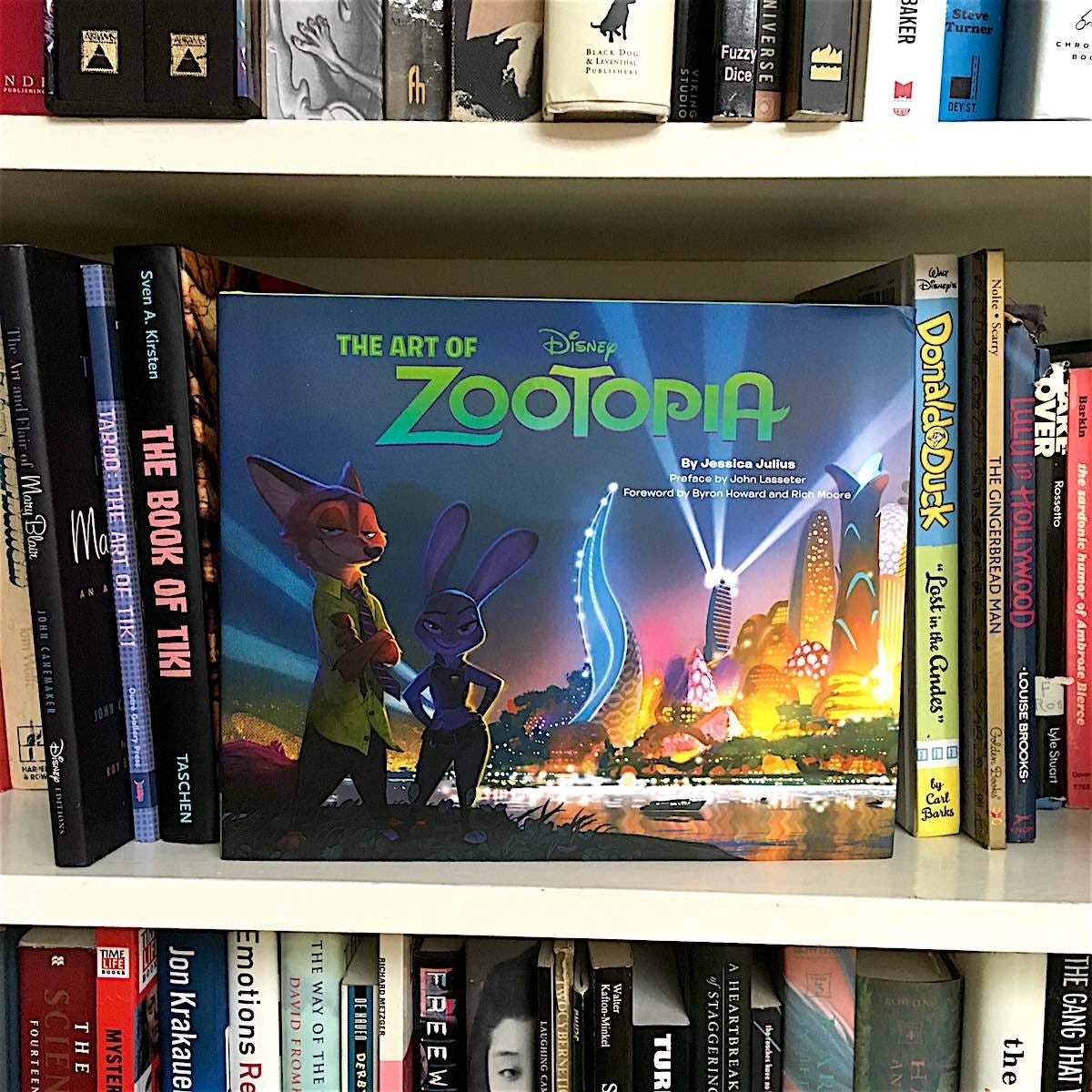


The Art of Zootopia
by Jessica Julius (foreward by Byron Howard and Rich Moore; preface by John Lasseter)
Chronicle Books
2016, 160 pages, 9.5 x 11.5 x 1 inches
I got my hands on a copy of The Art of Zootopia last week, days before the movie opened, and was so enamored with the fresh yet classic Disney-inspired art that I was already set on reviewing the book. Then over the weekend I watched the movie with my 12-year-old daughter and friends, and wow! What a brilliantly humorous and moving winner of a movie it was. Bravo to directors Byron Howard and Rich Moore! But this is Wink, so back to the book…
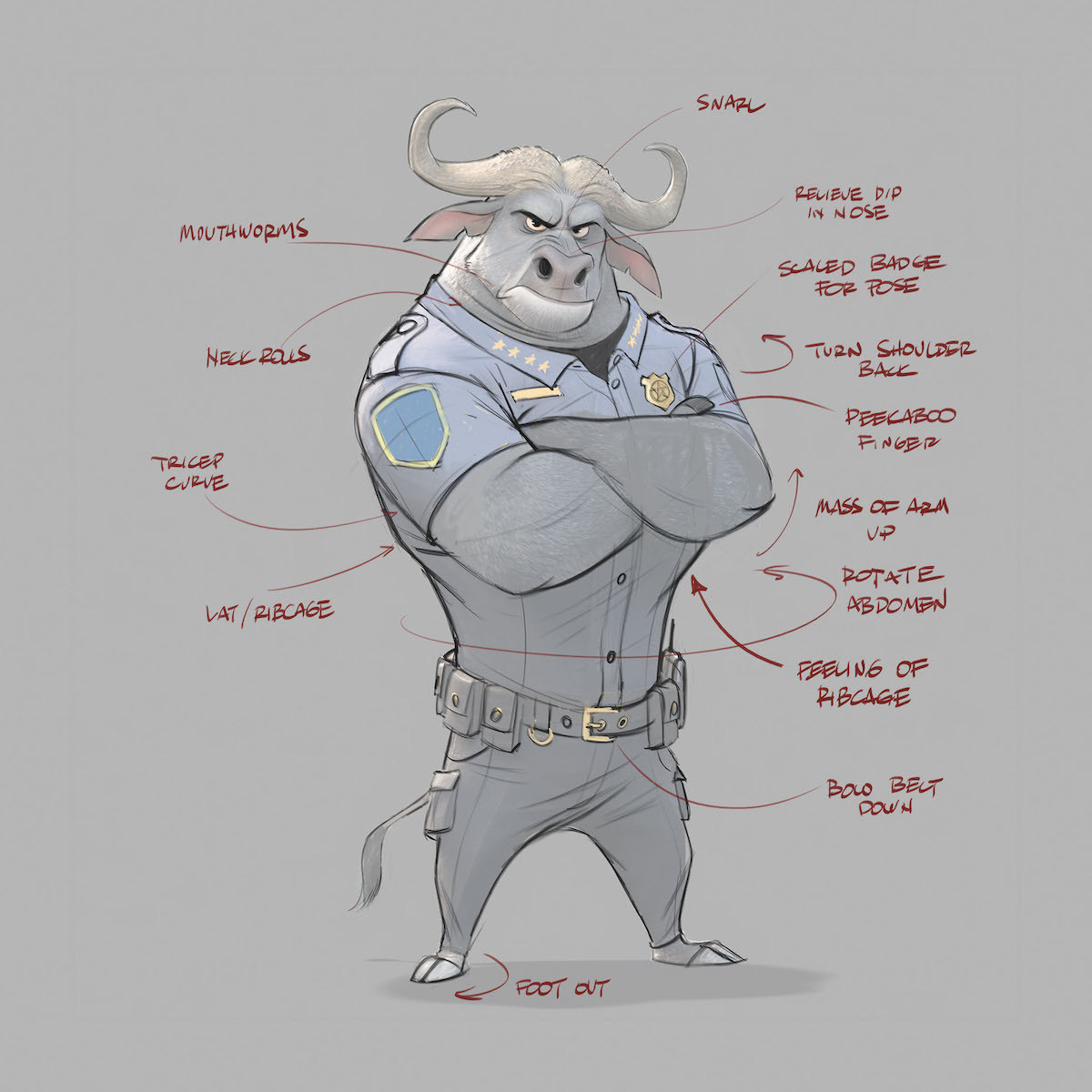
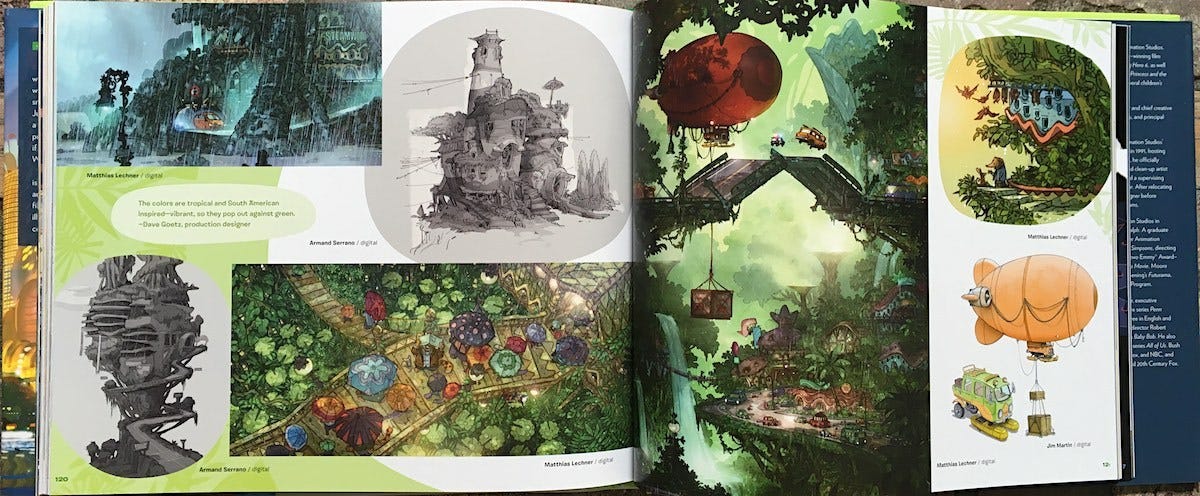
The Art of Zootopia is such a treat in the way that it not only revisits the movie’s delightfully heartwarming characters and fantastic art, but gives us an engaging look at what went into the making of Zootopia. The book starts with author Jessica Julius describing the movie’s original story pitch – a 1960s spy story – and how it evolved over four years into the modern day tale of underdogs, prejudice, and fighting for justice for all. She gives us the scoop on how the characters were developed (balancing a feminine yet tough, naïve yet sharp, optimistic yet challenged bunny cop isn’t so easy!), shows us amazing “sets” I don’t even remember in the fast-moving film, and she lets us in on all kinds of fun details, like the fact that it took eight months to get the various animals’ fur just right (color, texture, and direction of fur growth takes more contemplation than I realized). We are also privy to many sketches and scenes that were eventually cut from the film.
Just released today, The Art of Zootopia is both a captivating companion book to the movie, as well as a stand-alone coffee table book that doesn’t need any knowledge of the movie to be appreciated. – Carla Sinclair
Books That Belong On Paper first appeared on the web as Wink Books and was edited by Carla Sinclair. Sign up here to get the issues a week early in your inbox.
11/3/2602 November 2026
Off-Road
Tools for Possibilities: issue no. 214
DIY tours
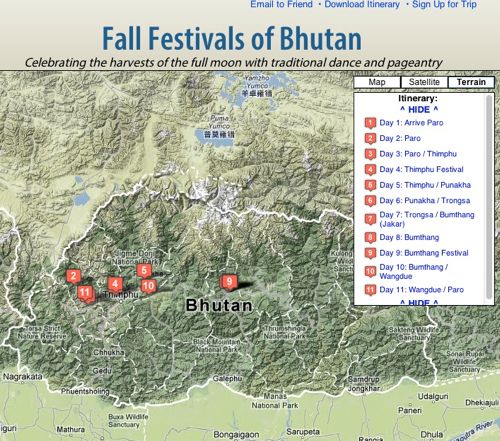
Packaged adventure tours can be fun and useful. A guided hut-to-hut walk in the Italian Alps, or a bicycle tour around the villages of Rajasthan, or a kayaking cruise between Caribbean islands are fantastic journeys that can be hard to program yourself. A good adventure tour agency knows how to smoothly sequence events like this, and on higher-price tours you may get a guide as well.
But I prefer to create my own adventure tours, because I can save many thousands of dollars that way. I use the commercial adventure tour itineraries as a basis for my own travels, and then modify them as needed. The way I figure it, if they can move a dozen people along the route, I should be able to do it with one or two. The most reputable agencies publish their itineraries online in great detail as a sales incentive. But to complete many of the routes they are selling requires private transportation or special accommodations. You might need a pick-up or delivery at a trail-head, or a jeep to reach a village, or even a plane flight, etc. This is where many budget travelers stop. It took me many years to realize that in most places in the world today — even developing nations — it is not hard, or very expensive, to arrange private transportation or expert help. And with the internet, these arrangements can be made beforehand. I’ve pre-arranged jeeps, vans, buses, and boats. The simple rule of thumb is: if a US-based tour agency can pre-arrange it, you can too, and at a great savings.
It will take some time and googling to arrange all the parts of an adventure tour, but the payoff is that you can replicate the same tour for about 1/5th the cost of the glossy professional version. So now I page through the adventure travel sites discovering all kinds of nifty tours I would have never thought about doing. Unlike the unconnected places in a guide book, there’s a logical flow to an itinerary, and because of their high prices, these agencies will hone and optimize a trip for peak experiences. A key thing: pay attention to the time of year they run a tour, which is again highly optimized. Still I wind up modifying them in some way for my own use. I usually chop off the leisurely entry in a big city and head directly to the adventure (I call that laser-forward-slow-back travel).

Adventure Tour Agencies
- National Geographic Expeditions
- Wilderness Travel
- Geoex
- AsiaTranspacific
- Africa Adventure
- Zegrahm
- Journeys International
Some famous adventure travel companies specialize in highly-refined premium tours around the world, but they may be low on actual adventures. For instance I find National Geographic Expeditions’ trips (better than their Adventure trips) involve more car and plane travel than suits me, but occasionally they’ll have a nice gem worth replicating. Wilderness Travel gets you walking or kayaking a bit more, but still cover more miles in vehicles than I want, but I have used their itineraries a few times with great success.
Geoex offers pretty cool offbeat trips I’ve not seen elsewhere, but they also have plenty that are too mileage-hungry to count as an adventure. AsiaTranspacific specializes in Asian trips, a few of which stay close to the bone. For Africa and animals I look to Africa Adventure; they have a really good season chart for best times of year and parks for wildlife viewing. I like Zegrahm for inspiration. They do real off-the road adventures, including trips one might describe as “expeditions” which is more my kind of adventure travel.
But of all the tour sites, the one that has provided me with the most appealing itineraries is Journeys International. They emphasize in getting you to walk, hike, bike and kayak and this is really the way to go anywhere. Almost any one of their itineraries would yield a fantastic adventure.
Remember, I have no personal experience with the tours given by any of these outfits. I only use their freely published routes. All these tours are super expensive if you buy them but I would bet they would be really fun and generally well done. I recommend them here only as models to assemble your own. — KK
Serious off-road survival
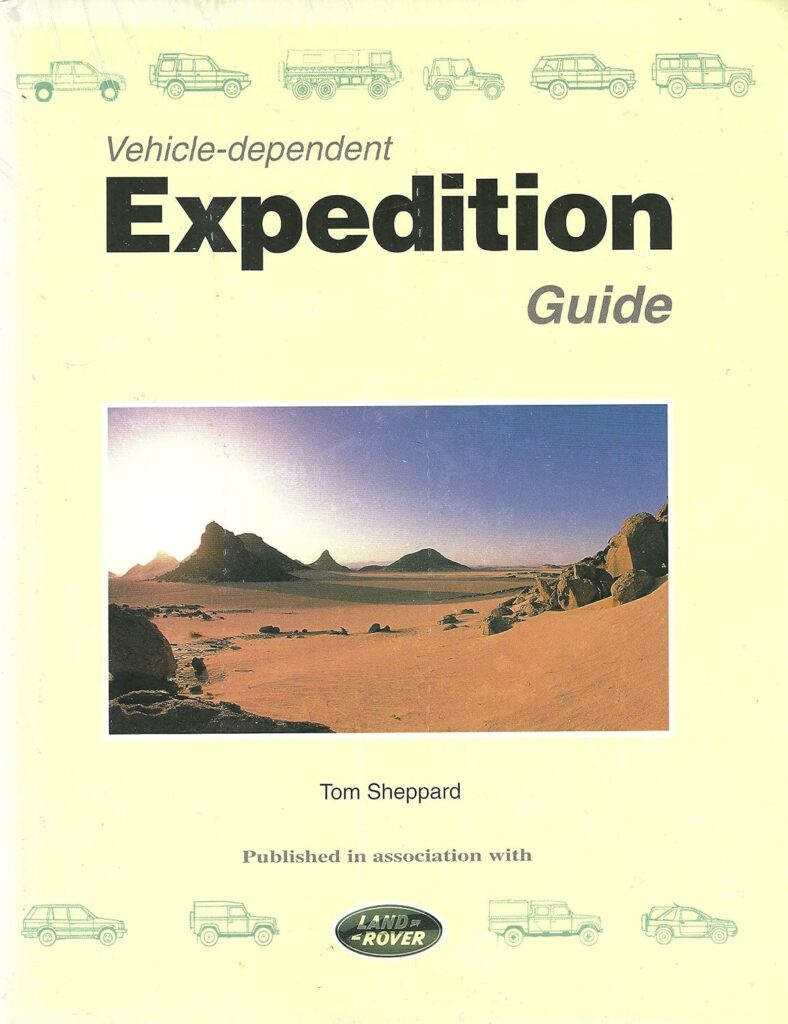
Vehicle-Dependent Expedition Guide
This great book is unfortunately expensive and difficult to find. However it is the most stunning collection of vehicle expedition lore anyone is likely to encounter. It lists everything from how many Land Rover Defender 90’s you can fit in a cargo container, to what socks to wear while driving in the desert. It is extremely detailed, does not shy away from product names, and is rife with real-world life-saving data. It includes tons of information on planning, visas, customs, shipping, survival, vehicle set up, driving tips, GPS and traditional navigation etc. On top of all that the writing style is matter of fact, the book is very well organized, and the photos and examples are inspiring. The most surprising fact that I learned from this book was how much weight matters, just like backpacking and mountaineering, it is the single most important thing to minimize in vehicle expeditions. Weight adversely affects handling, fuel efficiency, acceleration, braking, and your ability to traverse sand, mud, or steep grades. The $150 spent on this book will save anyone thousands on any offroad trip or expedition they are undertaking. — Alexander Rose

Best of the world
I’ve slowly clued into the fact that there is a network of “World Heritage” monuments, sites, and natural parks throughout the world–places that are deemed unique enough, or endangered enough, to deserve funding by UNESCO. A cultural site can be a monument, a group of buildings, or an entire city. But to be granted a World Heritage designation, it must “represent a masterpiece of human creative genius; or bear a unique or at least exceptional testimony to a cultural tradition or to a civilization which is living or which has disappeared.”
I like to think of these creations as the Best of Civilization.
Almost every country has at least one site, and sometimes many. Some places are justifiably famous, but many are mysteriously overlooked. Heritage sites are always among the most interesting destinations to visit in any country, well worth going out of your way to see. The sites range from ruins like the famous Inca Machu Picchu, to the less known ancient city of Fatehpur Sikri, India, to preserved towns like Visby, Sweden, to unspoiled wilderness areas like the Galapagos Islands. In total UNESCO lists 788 sites in 100 countries, which also include about 150 natural sites, deemed “areas of exceptional natural beauty and aesthetic importance” or outstanding bio-diversity.
In my travels I’ve learned to seek them out.
For a full list, and criteria, see World Heritage List. — KK
- BULGARIA (Year added to list)1979 Boyana Church1979 Madara Rider1979 Rock-hewn Churches of Ivanovo1979 Thracian Tomb of Kazanlak1983 Ancient City of Nessebar1983 Srebarna Nature Reserve1983 Pirin National Park1983 Rila Monastery1985 Thracian Tomb of Sveshtari
Exploring with a vehicle
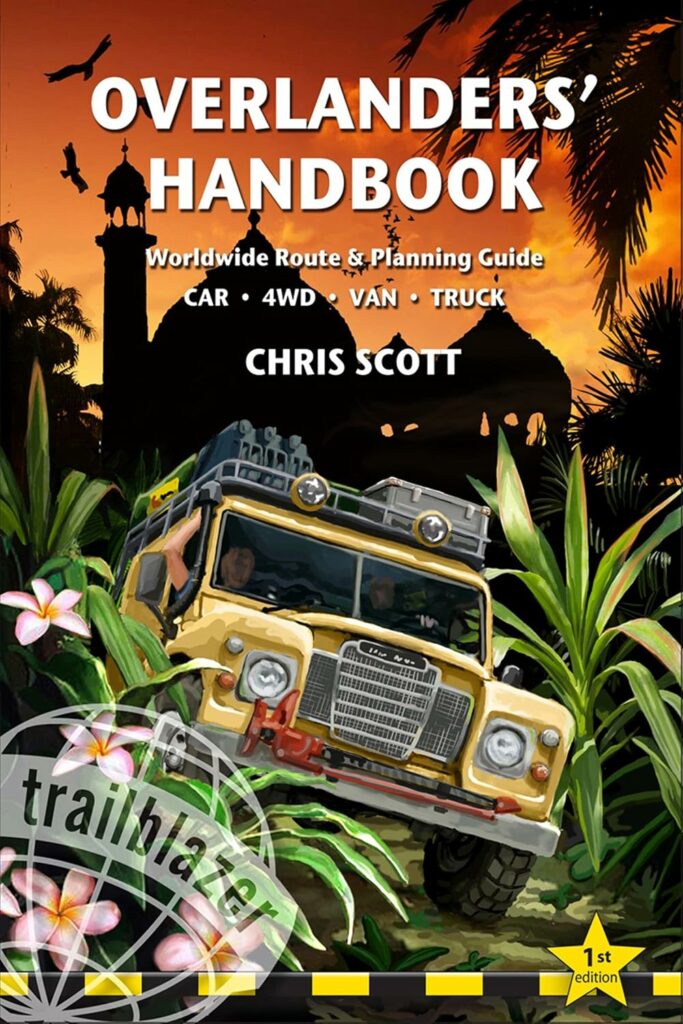
This is a more affordable version of Vehicle Dependent Expeditions. For $30 you’ll get most of what is in that $100 plus book. In fact, this Handbook is more practical, with the kind of information you would want to take with you on a rough vehicle expedition, while Expeditions is more for pre-planning your trip. Think of it as the Lonely Planet guide to overlanding. — Alexander Rose
- The single biggest mistake first-timers make is over-equipping and overloadingtheir vehicle.
- Do You Need a Powered Winch?A powered winch may be crucial to the ‘expedition look’, but the received opinion from most 4×4 overlanders who’ve been there and got stuck is that, unless you’re looking to push your 4×4 to the limit, there are many other more useful items.However they’re powered, the typical permanent front mounting will be at the wrong end more than half the time and on many occasions there’ll be nothing close enough to winch off unless other vehicles are present. And if they are, chances are they can simply pull you out.
- Shipping involves so many entities that it’s very difficult to discern where a service charge ends and a bribe begins.
- You must also be very conscious of your situation and the local culture. In many developed countries, an attempted bribe could land you in a lot of trouble. On the other hand, in some countries, without a small bribe your vehicle could turn to rust before you get the single stamp you need on your temporary import document.
Once a week we’ll send out a page from Cool Tools: A Catalog of Possibilities. The tools might be outdated or obsolete, and the links to them may or may not work. We present these vintage recommendations as is because the possibilities they inspire are new. Sign up here to get Tools for Possibilities a week early in your inbox.
11/2/2601 November 2026
Credit-card-size e-reader / TV ads removal / The Invisible Encyclopedia
Recomendo - issue #538
Credit-card-size e-reader
I cracked my Kindle’s screen a month ago, and when I looked to replace it, I was surprised by how much prices had jumped. So I tried the XTEINK X4 Pro, a pocket-sized e-reader no bigger than a credit card. Its screen light adjusts from warm to cool, and it lasts for weeks on a charge. It reads EPUB, PDF, MOBI, and text files and holds 16GB of books. The drawback is that it can’t read Kindle books. A fan community has built a free replacement operating system called CrossPoint that adds features, including a way to read Libby library loans, but it takes some tinkering. At $99, it’s much cheaper than a Kindle, and it snaps magnetically onto my phone so I can take it everywhere. — MF
TV ads removal
The promise of coding AIs is that it is super easy to take control of your devices. You just ask Claude to write you a program to do what you want on demand. As an example, folks are vibe coding apps to remove all the ad clutter on their TVs. This article in TechCrunch reports on this guerrilla frontier with two vibe apps that do just that. Employing AIs to remove ads is almost sacrilegious, so it will be interesting to see how the media companies respond. — KK
The Invisible Encyclopedia
The Encyclopedia of Invisibility is a collection of people, events, and ideas connected by invisibility—things that are deemed hidden or erased from history. The entries listed on this webpage are just a tiny sliver of what the artist Tavares Strachan compiled for the actual 2,400-page sculptural book. I think what makes it contemplative and “artful,” even as just a link dump, is how differently invisibility is measured. Some entries are literal, like dark matter and glasswing butterflies. Others inform us about the things that have been erased from cultural memory, or that have gone extinct or have been destroyed. — CD
Mesmerizing card shuffler
The Lotus ($89) is a cleverly designed card shuffler that can shuffle up to two decks at a time. It’s a black plastic box with a folding top. Place the deck in the center and touch a sensor; a pair of silicone rollers then divides the deck into two stacks on either side. Then you pick up the two stacks, put them back in the center, and repeat. Each pass takes about five seconds, and the site suggests repeating it three to seven times. It runs on a standard 9V battery, which is included and rated for more than 500 shuffles. It folds shut with the cards inside, which makes it easy to carry. It’s a joy to watch in action, and it would make a great gift for anyone who plays card games. — MF
Save Page Now
This is more of a public service announcement than a recommendation. I recently tried to load a page I’d bookmarked, but it was gone, and when I checked the Wayback Machine, I was so sad to see it had never been captured. So I finally downloaded the Internet Archive’s browser extension, which now auto-saves every page I bookmark. If you’d rather not give an extension access to your browser, you can paste any link into Save Page Now instead. — CD
Heritage scissors
I overpaid ($48) for a heavy duty scissors, but I think it is worth it because it will not only outlive me, but my great grandchildren as well. The Craighill Chroma is a heavy duty, stainless steel, super sharp, ergonomic, colorful, makes-me-happy-to-use-it 8-inch scissors. Most fine scissors have slightly curved blades to ensure a cut, but these are so hefty the blades are straighter, so have less friction, to make each cut effortless. I keep mine on my desk so I can see and enjoy its tri-colors. Makes a great gift, too. — KK
THIS ISSUE IS SPONSORED BY Incogni
Searching yourself on Google or ChatGPT exposes shocking details like your address, SSN, and financial records. Incogni’s Unlimited plan automatically erases your sensitive data from online brokers, protecting you from identity theft and fraud. Get 58% off with code RECOMENDO
Sign up here to get Recomendo a week early in your inbox.
11/1/26ALL REVIEWS
 10/31/26
Gar’s Tips & Tools – Issue #216
Access to tools, techniques, and shop tales from the diverse worlds of DIY
10/30/26
Book Freak #229: The Social Construction of Reality
How everyday knowledge is built, maintained, and transformed through human interaction

EDITOR'S FAVORITES


COOL TOOLS SHOW PODCAST
WHAT'S IN MY BAG?
04 November 2026

ABOUT COOL TOOLS
Cool Tools is a web site which recommends the best/cheapest tools available. Tools are defined broadly as anything that can be useful. This includes hand tools, machines, books, software, gadgets, websites, maps, and even ideas. All reviews are positive raves written by real users. We don’t bother with negative reviews because our intent is to only offer the best.
One new tool is posted each weekday. Cool Tools does NOT sell anything. The site provides prices and convenient sources for readers to purchase items.
When Amazon.com is listed as a source (which it often is because of its prices and convenience) Cool Tools receives a fractional fee from Amazon if items are purchased at Amazon on that visit. Cool Tools also earns revenue from Google ads, although we have no foreknowledge nor much control of which ads will appear.
We recently posted a short history of Cool Tools which included current stats as of April 2008. This explains both the genesis of this site, and the tools we use to operate it.
 Kevin Kelly started Cool Tools in 2000 as an email list, then as a blog since 2003. He edited all reviews through 2006. He writes the occasional review, oversees the design and editorial direction of this site, and made a book version of Cool Tools. If you have a question about the website in general his email is kk {at} kk.org.
 Mark Frauenfelder edits Cool Tools and develops editorial projects for Cool Tools Lab, LLC. If you’d like to submit a review, email him at editor {at} cool-tools.org (or use the Submit a Tool form).
 Claudia Dawson runs the Cool Tool website, posting items daily, maintaining software, measuring analytics, managing ads, and in general keeping the site alive. If you have a concern about the operation or status of this site contact her email is claudia {at} cool-tools.org.